
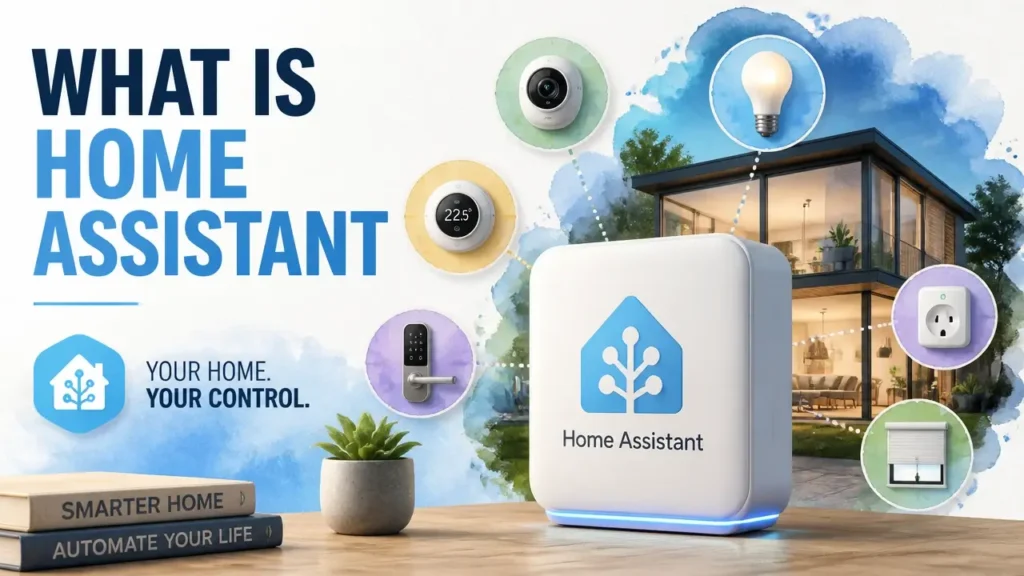
Home Assistant is free, open-source software that does something no voice assistant or closed ecosystem can match: it runs the logic of your entire smart home locally, on a device sitting in your own house. No monthly fee. No corporate server in the loop. Just your devices, your rules, and your data.
The reason people keep recommending it isn’t brand loyalty – it’s architecture. Once you understand what “local control” actually means at the network level, every smart home decision you make after that becomes clearer.
What Home Assistant Actually Is
Home Assistant is free and open-source software that acts as a centralized home automation hub – a single, local command center that speaks the native language of over 1,000 device brands simultaneously, without sending your commands or sensor data to anyone else’s server. Think of it as a universal translator sitting inside your house: your Philips Hue bridge speaks its own protocol, your Aqara sensors speak Zigbee, your Sonos speakers speak their own proprietary language – and Home Assistant holds a conversation with all of them at once.
That’s the key difference from what most people already know. Google Home, Amazon Alexa, and Apple HomeKit are voice-forward platforms – they accept commands, route them through cloud servers, and return a result. Home Assistant isn’t a voice assistant. It’s the home automation hub underneath. It can make those assistants work together, use them as input devices, or replace them entirely depending on how far you want to go.
What makes this architecturally distinct is where the processing happens. When you run Home Assistant on a device in your house – a small dedicated computer, a Raspberry Pi, or even an old laptop – every command, automation trigger, and sensor reading stays on your local network unless you explicitly choose otherwise. The software evaluates your rules, fires your automations, and records your history without ever leaving the building.
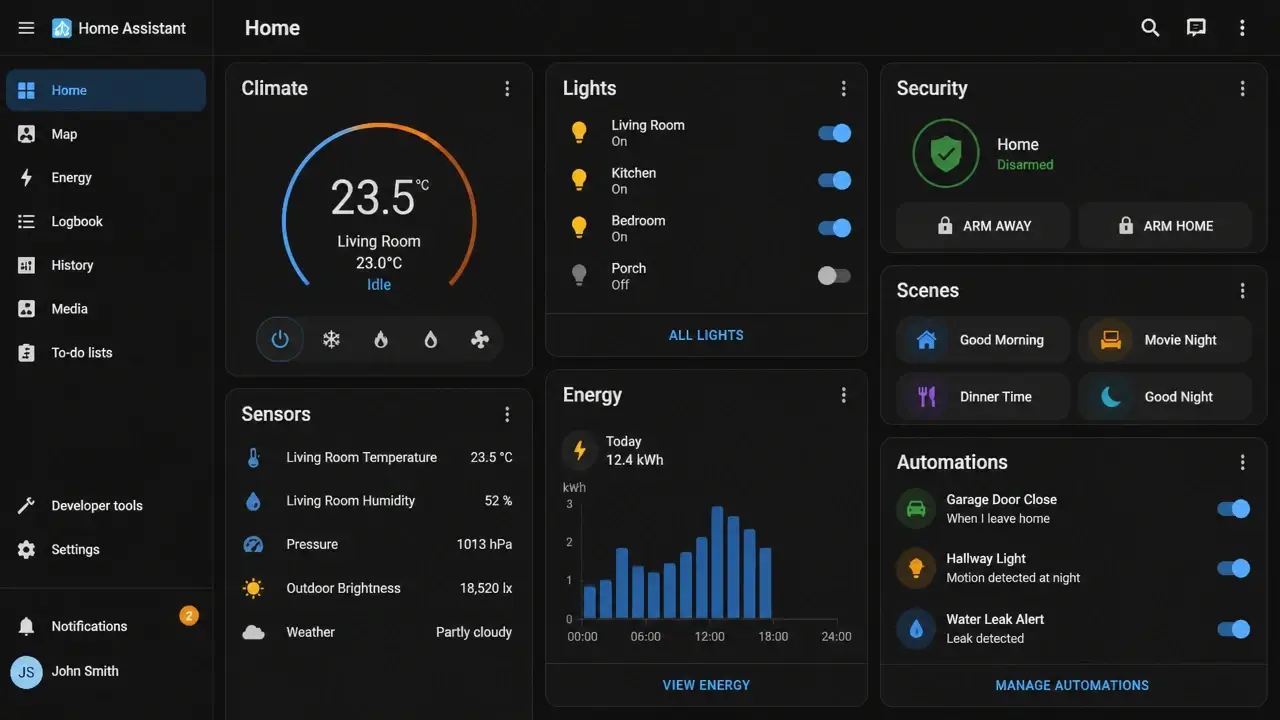
Here’s what the interface actually looks like when it’s running:
Three integration layers connect Home Assistant to the wider device world: native integrations (the built-in library of officially supported connections), Nabu Casa (the optional remote-access and voice-assistant bridge), and HACS (the community-built store for custom add-ons). Each one serves a different need, and we’ll get into all three in a moment.
Why Local Control Changes the Smart Home Game
Local control – the ability to run automation logic entirely on hardware inside your home – sounds like a technical detail until the moment it isn’t. Then it matters enormously, and it matters across three distinct dimensions: privacy, reliability, and cost.
Privacy is the first dimension. When you ask Alexa to turn off the living room lights, that command travels to Amazon’s servers, gets processed, and returns a response. The same is true for Google Home. Both companies are explicit in their terms of service about collecting usage data – not just the words you speak, but behavioral patterns: what you turn on, when, how often, and in what sequence. That accumulated behavioral data is the product. Home Assistant keeps every voice recording, motion log, and automation history sealed inside your own network.
A 2019 paper from USENIX Security – PFIREWALL: Semantics-Aware Customizable Data Flow Control for Home Automation Systems – measured exactly how much data flows outward from hub-based smart home systems. The researchers found that a semantics-aware local data-flow control system achieved a 97% reduction in IoT data sent from devices to cloud platforms, while preserving full automation functionality. That number puts the scale of routine data collection in concrete terms.
The most common pushback here is: “I don’t care if Google knows when I turn on my lights.” That’s a reasonable position for a single device. It becomes harder to defend when you consider that a corporation is correlating motion sensor data, door open/close events, thermostat schedules, and sleep patterns across every room – building a behavioral map of your household over years.
Reliability is the second dimension. Cloud-dependent devices are only as reliable as your internet connection and the vendor’s server uptime. When your ISP has a bad morning, or when a platform like SmartThings or Google Home experiences an outage, your automations freeze. Your lights stop responding. Your scheduled routines don’t fire. With Home Assistant running locally, the brain of your smart home is still alive inside the house. As researchers from the Edge Computing & Smart Cities Systems Engineering Group put it:
“By enabling real-time processing at the edge, the system reduces latency and ensures resilience in the event of internet disruptions or cloud service outages.” – Edge Computing & Smart Cities Systems Engineering Group, MDPI Applied Sciences, 2025
That resilience isn’t a marketing claim – it’s a direct consequence of where the processing lives.
Cost is the third dimension. The core Home Assistant software is 100% free and will remain so. Compare that to the subscription tiers creeping into platforms like SmartThings, Apple HomeKit, and various security integrations that now gate basic features behind monthly fees. The $0 operating cost isn’t a promotional period – it’s the model.
One important caveat belongs here, and it’s almost never discussed in official documentation: local control is only as private as the security posture of the machine running it. Home Assistant’s official guides provide minimal guidance on TLS encryption, firewall rules, VLAN isolation, or credential management. If you ever expose your instance to the internet – even through the otherwise-secure Nabu Casa service – you’re now administering a computer that holds sensitive household data. Treat it accordingly. For beginners, the safest path is using Nabu Casa’s remote access rather than experimenting with manual port forwarding. The privacy advantage of local control is real and significant, but it comes with the responsibility of being your own system administrator.
The Hardware You Actually Need
The question most beginners ask first is about cost – and the honest answer is that it ranges from $0 to $99, depending on what hardware you already own and how much setup friction you’re willing to accept.
Official and DIY Hardware Paths
Home Assistant Green is the official plug-in appliance: $99, uses eMMC storage (a soldered-in flash chip rather than a removable card), and arrives ready to run. It’s the closest this platform gets to a true out-of-box experience, and the eMMC storage is a deliberate engineering choice that matters more than it sounds.
The most-searched alternative is a Raspberry Pi 4 or 5 running the Home Assistant Operating System installed to a microSD card. This path works, costs roughly $60 for a basic kit, and gives you full control over the hardware. It’s also where a lot of beginners hit their first wall – not because the software is difficult, but because of a storage problem the official marketing pages don’t mention.
Home Assistant writes to its database constantly. Motion events, temperature readings, state changes for every device – all of it gets logged. That write volume degrades ordinary microSD cards much faster than most users expect, sometimes within months. The result is a corrupted installation and a frustrating reset. If you go the Raspberry Pi route, budget an extra $15–25 for a small external SSD and move the database to it. That single change transforms the setup from fragile to solid. It’s not complicated to do – it just isn’t mentioned in the enthusiast YouTube videos that make the Raspberry Pi path look effortless.
Here’s a direct comparison of your three main hardware options:
| Hardware | Storage Type | Typical Cost | Reliability | Ease of Setup |
|---|---|---|---|---|
| Home Assistant Green | eMMC (built-in) | ~$99 | High – no SD wear | Easiest – purpose-built appliance |
| Raspberry Pi 4/5 | microSD (default) / external SSD (recommended) | ~$60–80 | Medium (SD) / High (SSD) | Moderate – requires OS install |
| Old laptop / mini PC | Internal HDD or SSD | $0 (existing hardware) | High – mature storage | Variable – Docker or VM setup |
Deployment Options and the True Entry Cost
Docker and virtual machines are the two software-layer paths for running Home Assistant on a machine you already own. A Docker container is essentially an app that carries its own tiny operating system inside your computer – it runs in an isolated environment without touching the rest of your system. A virtual machine goes one step further: it simulates an entire computer running inside your current one, with its own dedicated resources.
Both approaches cost $0 to try if you have a spare machine. The price floor for the whole project breaks down simply: $0 on existing hardware, roughly $60 for a Raspberry Pi kit, or $99 for Home Assistant Green.
One community-discovered cost-saver worth knowing about: a $5 Zigbee USB stick flashed with Zigbee2MQTT firmware can replace a dedicated proprietary Zigbee hub entirely. The Sonoff ZBDongle-P is the most commonly recommended variant because it avoids the driver compatibility issues that plague cheaper clones. This is an enthusiast-level move best saved for after your initial setup is stable – but it means building out a complete local Zigbee network doesn’t require buying a $50 branded hub. According to current hub setup cost data, a full home automation hub setup typically runs between $150–$500 depending on the number of devices, which makes the open-source Zigbee path a meaningful saving.
The “Too Technical” Myth
The reputation Home Assistant carries for being impenetrable is real – and it’s roughly two years out of date. The earliest versions required manual YAML editing for every automation, every device configuration, and most integrations. That reputation spread through Reddit threads and YouTube comments, and those posts still dominate search results today. They’re describing a different product.
YAML is worth defining quickly so it stops sounding intimidating: it’s a text-based format for writing structured rules, roughly like a recipe card. It’s not a programming language in the way Python or JavaScript are. You’re not writing logic – you’re describing a list of conditions and actions in a specific syntax. That said, you don’t need it to get started.
The vast majority of daily Home Assistant actions – adding a device, building an automation, organizing rooms into a dashboard – now happen in a visual, point-and-click interface. You can use Home Assistant for months, build a genuinely capable smart home, and never open a text file. The GUI handles the basics and a substantial portion of the advanced configuration too.
The design philosophy is what researchers at the Smart Building and Energy Management Systems field have noted directly:
“For the purposes of this paper, Home Assistant was chosen due to its many advantages such as being open-source, easily customizable with simple YAML files, and the powerful but still simple set-up GUI.” – Smart Building and Energy Management Systems (BEMS) Engineers, MDPI Energies, 2021
Home Assistant operates on two speeds: the GUI does the heavy lifting, and raw YAML is available as an optional upgrade track for tinkerers who want to go deeper. It’s not the entry ticket – it’s the advanced lane.
The honest gap between marketing and reality sits here: the Home Assistant Green landing page promises “just plug in power and network cables, and you’ll be up and running.” That’s technically true. It’s also incomplete. Success still requires basic networking literacy, the patience to follow step-by-step instructions, and a willingness to search a community forum when something unexpected happens. A candid Reddit characterization once described the real prerequisite as needing “an electrical engineer, a programmer, and a LOT of spare time” – an exaggeration, but one that captures the historical frustration.
The honest reality sits between these poles. No coding background required if you stick to the officially supported paths. But you do need to be the kind of person who reads a guide carefully and doesn’t give up when step 4 produces an unexpected screen. A beginner who follows the official Getting Started documentation can have a working setup in a single afternoon. The ongoing satisfaction – and the learning – comes from customizing what you’ve built, not from fighting the core system.
Your Starting Point: Three Ways to Enter the Home Assistant World
Home Assistant’s entry points aren’t a hierarchy – they’re more like three lanes on the same road. You can start in one, merge into another, and eventually use all three simultaneously. No single path is correct.
This is what the three-lane structure looks like before we break each one down:

Native integrations are the get-started-now lane. When Home Assistant boots up for the first time, it scans your local network and automatically discovers devices it recognizes – Sonos speakers, Philips Hue bridges, certain printers, Chromecast devices, and hundreds of others. You click “add,” confirm, and the device is live. The built-in library covers 2,000+ official integrations, which means there’s a reasonable chance several things you already own will appear without any configuration. This is your first stop before buying anything new.
Nabu Casa is the keep-it-simple lane. For $6.50 per month, Nabu Casa provides two things: secure remote access to your Home Assistant instance from anywhere in the world, and instant, certificate-free connections to Google Assistant and Amazon Alexa. Without Nabu Casa, getting remote access requires configuring SSL certificates, dynamic DNS, and firewall rules – a process that’s well-documented but genuinely complex. Nabu Casa wraps all of that into a single toggle. It’s also worth knowing that this subscription fee directly funds Home Assistant’s development team. The core software remains free; this is the optional service layer that makes the cloud-bridge effortless.
HACS – the Home Assistant Community Store – is the custom-upgrade lane. HACS is a community-built add-on that installs a secondary store inside your Home Assistant interface, containing custom integrations, dashboard themes, and device support that hasn’t yet made it into the official library. Want a dedicated integration for your Tesla? A notification system that sends a specific alert when your washing machine finishes its cycle? HACS is where those live. It requires a one-time, well-documented install process involving a GitHub account – not difficult, but not instant. You don’t need it from day one.
The practical takeaway: a complete, capable smart home is entirely achievable using only native integrations and Nabu Casa. HACS is your advanced deck for later, once you’ve hit the ceiling of what the official library offers.
What Home Assistant Unlocks That You Can’t Get Anywhere Else
Cross-brand automation is where Home Assistant stops being a technical exercise and starts being genuinely exciting – because no closed platform can do what a single Home Assistant rule can do.
Consider this scenario: your Aqara door sensor detects that the front door opened after sunset. Home Assistant fires a rule that simultaneously turns on your Wiz light strip (Wi-Fi, no hub required), queues a playlist on your Sonos speaker (its own proprietary protocol), and logs the entry event to a local database. Three brands. Three different communication protocols. One rule. No single app from Google, Amazon, or Apple can orchestrate that combination, because each platform only speaks fluently to devices that have been officially certified for its ecosystem.
The offline-first safety scenario is even more compelling. A Zigbee smoke detector triggers. Home Assistant – running locally, independent of your internet connection – immediately turns every smart light in the house red and unlocks every smart lock. That routine fires in under a second, because the logic never has to leave the building to execute. In a cloud-dependent setup, an internet outage at the wrong moment means that automation simply doesn’t fire.
Here’s a practical demonstration of what cross-brand Zigbee control looks like in action:
The single-dashboard capability deserves its own mention. Home Assistant lets you build a custom wall-mounted tablet interface that pulls from every system simultaneously – your calendar, weather data, security camera feeds, battery levels for every sensor across the house, and a presence map showing who’s home. No closed ecosystem gives you that unified view, because each one only surfaces data from its own approved devices.
One of the quieter discoveries newcomers make is the hidden sensor data that vendor apps deliberately don’t surface. The Philips Hue motion sensor, for example, reports three values to a properly connected hub: motion state, temperature, and luminance. The official Hue app shows you motion only. Home Assistant exposes all three. That means you can build a rule like “if the hallway temperature drops below 64°F and motion is detected, turn on the space heater” – an automation that’s physically impossible to create inside the Hue ecosystem alone. This pattern repeats across dozens of devices: the manufacturer collects the full sensor data, the official app filters it down to what they want you to see, and Home Assistant gives you the unfiltered version.
This capability isn’t advertised by Home Assistant or the manufacturers, and it varies by firmware version. But it illustrates the core philosophy: when you own the controller, you see the full data stream – not the curated view a company decides to sell you.
As researchers studying open local APIs have concluded:
“With a sufficiently open local API, advanced automation via software such as Home Assistant or other custom integrations becomes a straightforward possibility… Without such basic provisions for interoperability, deeming IoT devices ‘smart’ may be considered an overstatement.” – Communication Systems and Network Protocols Research Group, MDPI Journal of Computer Science, 2026
Is Home Assistant Worth It?
Platform-agnostic control has a price, and it’s measured in time, not money. That’s the core trade-off: roughly 30 minutes of effortless, limited setup with an Alexa plug-in versus an afternoon of guided setup that grants you permanent, vendor-independent control over every device in your house.
Home Assistant is built for a specific kind of person. You want your smart home to keep working through any internet outage. You find the idea of paying a monthly subscription for basic automations genuinely irritating. And somewhere in the back of your mind, the fact that a corporation holds a behavioral map of your household – every room, every routine, every presence pattern – makes you slightly uneasy. If those three things resonate, the setup complexity is a fair price.
It’s probably not the right fit yet for someone who wants zero configuration, no troubleshooting, and instant “it just works” behavior across all devices with a single phone call. That person is better served by evolving Matter-enabled setups within Apple or Google ecosystems, where the onboarding experience is genuinely smoother and the ongoing maintenance is close to zero.
The setup complexity question around Home Assistant is real but finite. You encounter it once, at the beginning, and then it largely disappears. Subscription fees, by contrast, compound indefinitely. An internet outage disrupting your cloud-dependent setup isn’t a one-time event – it’s a recurring reminder that someone else holds the keys.
The local-first promise is the bottom line: if the idea of a house that answers to you and you alone – and never phones home to a data center – excites you more than it intimidates you, then the afternoon you spend on setup is one of the better investments you’ll make in your home.
From here, the natural next steps are confirming which of your existing devices are natively compatible, then working through the hardware path that fits your budget. Those guides walk through each step with the same architecture-first logic: not just what to click, but why each click matters, and what breaks if you skip it.
Home Assistant won’t hand you a perfect smart home in an hour. It will, however, hand you the keys to the kingdom. If you’re willing to turn the ignition yourself, there’s nothing else quite like it.
Key Takeaways on Home Assistant
- Home Assistant is free, open-source software that runs locally on hardware in your house, connecting 1,000+ device brands without a cloud intermediary.
- Local control means automations keep firing during internet outages, because the processing never leaves your network.
- Research shows local hub-based systems can reduce outbound IoT data to cloud platforms by up to 97% compared to fully cloud-dependent setups.
- The Raspberry Pi path is viable but requires an external SSD – microSD cards degrade under Home Assistant’s constant database writes, often within months.
- Most daily Home Assistant tasks now use a visual point-and-click interface; YAML editing is an optional advanced track, not an entry requirement.
- Home Assistant surfaces sensor data that vendor apps deliberately filter out, enabling automations that are architecturally impossible inside closed ecosystems.
Frequently Asked Questions About Home Assistant
Is Home Assistant free or paid?
The core Home Assistant software is completely free and open-source, with no licensing fees or subscription required. The only paid option is Nabu Casa at $6.50/month, which adds secure remote access and voice assistant integration – it’s optional, and that fee funds the development team rather than gating basic features.
What hardware do I actually need to run Home Assistant?
You need a dedicated computer to run it on – that’s the only hard requirement. Options range from $0 (an old laptop or mini PC you already own), to roughly $60 for a Raspberry Pi kit, to $99 for the official Home Assistant Green appliance. If you go the Raspberry Pi route, add a small external SSD to avoid microSD card failure from database write wear.
What happens to my automations if my internet goes down?
Automations running on a local Home Assistant instance continue to fire normally during an internet outage, because the automation engine lives on hardware inside your house. Cloud-dependent platforms like Google Home or Amazon Alexa lose functionality entirely when the connection drops – your local Home Assistant setup doesn’t.
Do I need to know how to code or write YAML to use Home Assistant?
No. The vast majority of device setup, automation creation, and dashboard configuration happens through a visual GUI that requires no coding. YAML is available for advanced users who want finer control, but it’s an optional upgrade path – not something you’ll need to touch to build a functional smart home.
Can Home Assistant work with devices I already own from different brands?
Almost certainly yes, for most mainstream brands. Home Assistant’s native integration library covers 2,000+ officially supported devices, and it auto-discovers many of them on your local network during initial setup. Brands like Philips Hue, Sonos, Aqara, IKEA, and Wiz all have native integrations – you don’t need to replace your existing devices to get started.
What’s the difference between Home Assistant and Google Home or Alexa?
Google Home and Alexa are voice-forward cloud platforms – they accept commands, process them on remote servers, and return results. Home Assistant is a local automation engine that can use those assistants as input devices while running all its logic on hardware in your house. The fundamental difference is where the processing happens and who has access to your behavioral data.
Is it safe to access Home Assistant remotely?
Yes, if you use Nabu Casa’s remote access service, which handles SSL certificates and secure tunneling without requiring you to open firewall ports. The risk comes from manual port forwarding, which bypasses those protections – a setup Home Assistant’s official documentation doesn’t warn against strongly enough. For beginners, Nabu Casa is the right remote access path.
What if a brand I rely on stops supporting Home Assistant integrations?
Because Home Assistant is open-source and community-maintained, integrations for popular devices are rarely abandoned – the community often maintains them even when official support lapses. More importantly, local-protocol devices (Zigbee, Z-Wave, Matter) don’t depend on the manufacturer’s cloud at all, so a vendor shutting down their service doesn’t affect your automations.
References
- PFIREWALL: Semantics-Aware Customizable Data Flow Control for Home Automation Systems – arxiv.org
- Lightweight Embedded IoT Gateway for Smart Homes Based on an ESP32 Microcontroller – mdpi.com
- Energy Management Model for HVAC Control – mdpi.com
- Home Automation Hub Setup Cost – costtorenovate.com
- Secure Local Communication for IoT Devices – mdpi.com