
Well-chosen smart home devices determine whether your Home Assistant setup runs like a tight local network or a fragile relay race through someone else’s server. The hub gets all the credit, but the devices and the protocol layer beneath them are what actually decide whether your lights respond in milliseconds or spin their wheels waiting for a cloud handshake.
This guide cuts through the vendor noise. Every device here earns its place by passing a three-part filter: local operation, a single coherent wireless protocol for your starter room, and setup that doesn’t require a soldering iron. Start here, build one room, and the architecture takes care of itself.
What Actually Makes a Device Right for Home Assistant
Smart home device selection starts at the protocol layer, not the product page – and that single shift in thinking separates a setup that keeps working from one that quietly depends on a server farm in another state. The devices you attach to Home Assistant determine your latency, your offline resilience, and how much of your home you actually control.
Three rules cut the noise for a first build. First: local-only operation. If a device phones home to a vendor cloud for every command, your automation is only as reliable as that vendor’s uptime, their pricing decisions, and their interest in supporting older hardware. Second: one wireless protocol per starter room. Mixing Zigbee, Thread, and Wi-Fi in the same first deployment doesn’t give you flexibility – it gives you three separate debugging surfaces when something stops responding. Third: no custom firmware or soldering required. There are excellent local-first devices that work straight out of the box, and a beginner’s time is better spent learning automation logic than flashing chips.
Here’s a quick orientation on the two protocols this list leans on. Zigbee is battle-tested – it’s been in production smart home hardware for over a decade, the device catalog is enormous, and it meshes: every Zigbee device you add acts as a signal repeater, so the network gets stronger as it grows. Thread is newer, built specifically for the Matter standard, and designed with the same low-power mesh principles as Zigbee – but the device catalog is still catching up. Both are strong choices. Zigbee is the safer bet today for sheer variety and community support; Thread is the cleaner path if you’re building for where the industry is heading.
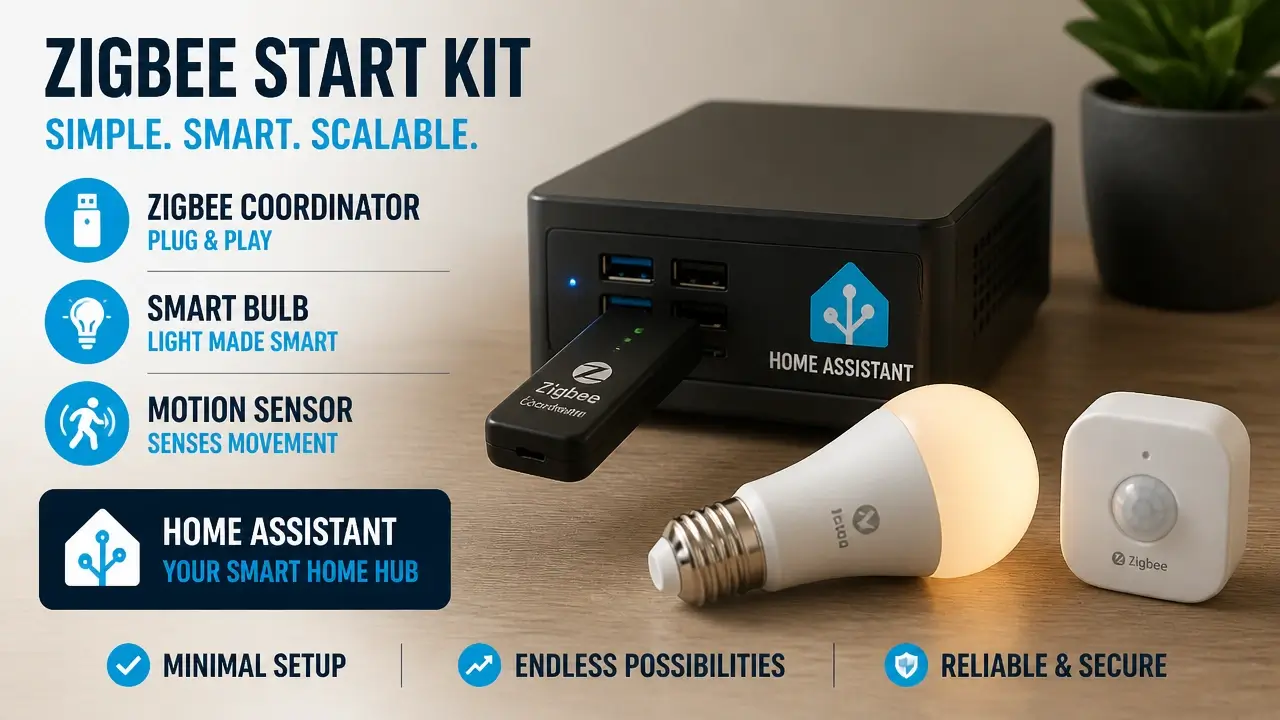
The only extra hardware a beginner needs beyond these devices is a USB coordinator – specifically the Sonoff Zigbee 3.0 Dongle Plus, which plugs directly into the machine running Home Assistant and handles all Zigbee communication. No proprietary hub, no extra subscription, no bridge that requires its own firmware updates. One dongle, one network.
One more thing worth naming before the devices: “best” in this guide means community-verified local stability and beginner-accessible setup – not affiliate revenue, not whichever product sent the most review units, and certainly not any claim about “intelligent” automation that the hardware can’t actually deliver on its own.
Here’s what a solid starter kit looks like before any product names appear.
The research backs this framing. As a peer-reviewed analysis in the MDPI Journal (Sensors/Electronics) puts it:
“The lack of interoperability reduces comfort of the user and turns into a barrier to smart home adoption. Matter is growing by constructing an open-source application layer protocol that can be compatible with all smart home ecosystems… device commissioning and control are straightforward for the consumer. This capacity of gadget incorporation into diverse ecosystems using Matter is already on the market and might result in higher device production and enhanced smart home adoption.”
That observation explains exactly why protocol choice belongs at the top of the decision stack. Interoperability isn’t a bonus feature – it’s the foundation that determines whether your devices talk to each other five years from now or become expensive paperweights after an app sunset.
Nanoleaf Essentials Matter Bulb: Light Without the Hub
The Nanoleaf Essentials Matter Bulb runs on Thread and Matter, which means it connects directly to Home Assistant through a Thread border router – no Nanoleaf app required, no cloud account, and no bridge sitting between the bulb and your automations. Thread is the radio layer; Matter is the application protocol that sits on top of it. Together they let Home Assistant discover and control the bulb entirely on your local network.
Setup is genuinely as simple as it sounds. Screw the bulb in, open the Home Assistant companion app, scan the Matter QR code printed on the bulb’s packaging, and the device appears in your dashboard. That’s the whole process. No third-party app installation, no account creation, no waiting for a cloud pairing handshake. For a beginner whose first instinct is to wonder what could go wrong, the answer here is: very little.
Pricing sits around $20–25 per bulb, and the bulb ships with Matter firmware already loaded. You’re not buying a product that requires an update before it’s useful – it’s ready on day one. Full local control means commands process on your home network, not a remote server, and the bulb continues responding to automations even when your internet connection drops.
The Thread border router requirement is worth addressing directly. If you’re running Home Assistant on a Yellow board or using a SkyConnect USB dongle, you already have a Thread border router built in. If neither of those applies, a HomePod mini, Apple TV 4K, or Google Nest Hub (2nd gen) also functions as a Thread border router – most people who’ve bought any recent smart home hardware already own one without realizing it.
The Connectivity Standards Alliance and supporting academic research describe the underlying technology clearly:
“Research from the Connectivity Standards Alliance (CSA) and scientific journals highlights the ‘Nanoleaf essentials’ line as utilizing ‘Thread, Bluetooth’ and working seamlessly ‘with major smart home platforms.’ Academics further observe that the underlying technology ‘Thread: A wireless networking protocol designed for short-range, low-powered, and low-bandwidth applications leveraging standards such as IEEE 802.15.4… eliminates the need for extra translation or adaptation layers when designing hubs/Bridges, making communication between devices with different connectivity technologies much simpler and guaranteeing interoperability.'”
That last point – eliminating translation layers – is what makes Thread architecturally cleaner than Wi-Fi bulbs that route through a vendor cloud. Fewer translation layers means fewer failure points, and fewer failure points means automations that actually fire when the sensor trips.
IKEA TRÅDFRI Bulb: The Zigbee Workhorse
The IKEA TRÅDFRI bulb runs Zigbee, pairs directly with a generic Zigbee coordinator, and costs roughly $10–15 – making it the lowest-cost path to local-first smart lighting that exists in a major retail chain. No IKEA gateway, no IKEA app, no cloud dependency of any kind. Just a bulb that speaks Zigbee and a coordinator that listens.
Pairing happens through either Zigbee Home Automation (ZHA) or Zigbee2MQTT inside Home Assistant – both are well-documented, both work with the Sonoff Dongle Plus. The process: put the bulb in pairing mode (toggle power six times in quick succession until it pulses), open ZHA or Zigbee2MQTT, and the bulb appears within seconds. Setup difficulty is “easy” with one small caveat: the power-toggle pairing dance trips people up the first time. After that, it’s a device you never think about again.
The community’s preference for TRÅDFRI over Philips Hue in dongle-only setups has a clear architectural reason. Hue bulbs are excellent hardware, but they’re optimized for the Hue Bridge ecosystem. Using them without the Bridge means sacrificing some functionality and adding a device (the Bridge) that introduces its own failure point. IKEA bulbs, by contrast, were never designed around a proprietary hub – they pair cleanly with any standard Zigbee coordinator. For a beginner who wants the simplest possible local lighting, that’s a meaningful advantage.
The white-spectrum TRÅDFRI bulb (warm to cool white, dimmable) is the right starting point. Full-color bulbs exist and cost a bit more, but for a first automation – “dim to 30% when the motion sensor detects someone after 10 PM” – color temperature control is all you need. Add color later, when you understand what you’d actually use it for.
One network-level benefit worth naming: every mains-powered Zigbee device, including this bulb, acts as a Zigbee repeater. Add five TRÅDFRI bulbs to a room and you’ve also strengthened the Zigbee mesh for every sensor in that room. The network grows more reliable as you add devices – the opposite of what happens when you fill a house with Wi-Fi gadgets all competing for the same 2.4 GHz channel.
Aqara P1 Motion Sensor: Long Battery, Instant Detection
The Aqara P1 is a Zigbee 3.0 motion sensor with a rated battery life of up to five years on a single CR2450 coin cell – which means you install it, pair it, and then largely forget it exists until your automation logic needs adjusting. It reports two values to Home Assistant: occupancy state (motion detected / clear) and ambient light level in lux. That combination lets you build automations that are actually useful: “turn on the hall light when motion is detected AND lux is below 50” rather than “turn on the light whenever someone walks by at noon.”
The physical design is compact and adhesive-backed. No drill, no screws, no wiring. Stick it in a corner at ceiling height, and it covers a standard room. For renters or anyone who doesn’t want to commit to permanent hardware changes, this matters.
Pairing follows the same Zigbee path as the TRÅDFRI bulb – ZHA or Zigbee2MQTT, coordinator in pairing mode, pull the battery tab, done. The P1 appears in Home Assistant within seconds and immediately starts reporting. Setup difficulty is “very easy.” The lux sensor data shows up as a separate entity, ready to use as an automation condition without any additional configuration.
The local-processing point deserves emphasis here. A motion sensor that routes through a cloud service introduces latency – sometimes a full second or more between “person walks in” and “light turns on.” A Zigbee sensor processed locally by Home Assistant reacts in milliseconds. You notice the difference. Your guests notice the difference. It’s the gap between a system that feels like a real building and one that feels like it’s thinking about it.
Academic research on these sensors confirms what the community has observed in practice:
“The Aqara Motion Sensor, like other Aqara devices, is battery-operated and can be connected to Aqara Hub or other smart home ecosystems via ZB [Zigbee]. Other than occupancy events, it also provides illuminance and device temperature information. Furthermore, experimental research confirms the high accuracy of these low-power passive infrared (PIR) sensors: ‘The sensor set… are powered by button batteries with very low energy consumption’ and provide a structured JSON format containing ‘illuminance… occupancy… and voltage.'”
The voltage reporting is a quiet bonus: Home Assistant can track battery level over time and alert you before the sensor goes dark. No more discovering a dead sensor because the lights stopped turning on.
Aqara Door & Window Sensor T1: The Unseen Guardian
The Aqara Door & Window Sensor T1 is a Zigbee 3.0 contact sensor that reports a single, binary state – open or closed – and does it instantly, locally, with a battery rated for approximately two years under normal use. The replaceable cell is a CR1632 coin cell, available at any pharmacy. The sensor itself is two small magnetic pieces: one mounts on the door frame, one on the door. When they separate beyond a few millimeters, Home Assistant knows the door opened. When they reconnect, it knows it closed.
That binary simplicity is deceptively powerful. An open/closed state can drive automations that a motion sensor can’t: pause the HVAC when a window has been open for more than five minutes, send a phone notification if the back door opens after 11 PM, or trigger a reminder if someone left the garage door cracked. These are the kinds of automations that make a home feel genuinely intelligent rather than just lit differently.
Setup is as low-friction as it gets. Remove the battery insulator tab, place the two halves within a few millimeters of each other on your door or window frame, and open ZHA or Zigbee2MQTT to pair. Home Assistant discovers the sensor almost immediately. No Aqara hub required – the T1 works directly with any standard Zigbee coordinator. Price sits around $15–20, making it one of the most cost-efficient sensors in the local-first catalog.
Research on these sensors in real home deployments is consistent with what the community reports:
“Xiaomi Aqara door sensor… communicate with the gateway through ZigBee. In home-assistant data logging trials, these contact sensors are characterized as ‘battery-operated and can be easily connected’ to local coordinator setups: ‘It communicates with HA [Home Assistant] via a USB Z-Dongle.'”
The T1 pairs naturally with the Aqara P1 in a single room. Motion handles presence when someone is moving; the contact sensor handles state changes at entry and exit points. Together, those two sensors give you enough event data to build automations that cover nearly every scenario in a living room, home office, or bedroom – without a single cloud dependency.
Sonoff S31 Smart Plug: Energy Monitoring with a Caveat
The Sonoff S31 is a Wi-Fi smart plug with built-in energy monitoring – it reports real-time power draw in watts and cumulative consumption in kilowatt-hours, both of which feed directly into Home Assistant’s energy dashboard. At $10–15, it’s the cheapest way to add appliance control and energy visibility to a starter setup.
The caveat is structural, not cosmetic. Out of the box, the S31 uses Sonoff’s eWeLink cloud service. Home Assistant can integrate with eWeLink, which means you can control the plug and read its energy data without any hardware modification – but every command and every reading makes a round trip through Sonoff’s servers. For a beginner who wants to start immediately and doesn’t have strong feelings about cloud dependency, this works. For someone who’s already committed to a fully local architecture, it introduces a dependency that sits outside your control.
The path to local operation is well-documented: flash the S31 with Tasmota or ESPHome firmware, and the plug communicates directly with Home Assistant over your local network, no cloud involved. The flashing process requires a USB-to-serial adapter and about thirty minutes of focused attention. It’s not difficult, but it’s also not beginner-transparent – call it “intermediate” and plan for a Saturday afternoon.
One network consideration worth naming: Wi-Fi plugs don’t mesh. Each one is a direct connection back to your router, competing for bandwidth on the 2.4 GHz band. One S31 is invisible on a modern network. Ten of them, alongside Wi-Fi bulbs and other devices, starts to feel like a traffic jam. Start with one, use it to learn the energy dashboard, and evaluate whether Zigbee plugs make more sense before scaling.
According to research published in Frontiers in Energy Research and the MDPI Journal:
“The operating environment greatly influences the accuracy of power metering devices, resulting in variations and inconsistencies in measurement results across different working situations. Additionally, open-source architectures frequently look to bypass default cloud infrastructures on Wi-Fi chips: ‘other open-source SCADA software and dashboards can be undertaken… e.g., Home Assistant with ESPHome.'”
There’s also a subtler limitation worth flagging. Many Wi-Fi smart plugs – including the S31 in its default configuration – report current power draw only every 15 seconds. For a coffee maker or a lamp, that interval is fine. For any load that cycles rapidly (a mini-fridge compressor, a washing machine motor), that polling gap means your energy totals will be estimates, not measurements. The S31 is the right tool for basic tracking and appliance scheduling. It’s not the right tool if you eventually want sub-second energy event logging. When that day comes, a native Zigbee energy monitor with faster reporting is the upgrade path – and your existing Zigbee coordinator is already ready for it.
Standby power data from Smart SMS Solutions illustrates why energy monitoring matters at all: common household electronics in standby mode collectively account for a measurable share of total home energy consumption, and a single monitoring plug can surface that data in a way that informs real decisions about scheduling and device replacement.
Amazon Echo Studio (2025): Voice Control’s Cloudy Compromise
The Amazon Echo Studio (2025) is a premium Alexa speaker with spatial audio, a built-in Zigbee hub (which you won’t need if you’re already running a Zigbee coordinator), and the deepest voice-to-smart-home integration on the consumer market. It does voice control extremely well. It does it entirely through Amazon’s cloud, and that’s the trade-off you’re accepting when you add it to a local-first setup.
Integration with Home Assistant works through the Alexa Smart Home skill. You expose your HA entities to Alexa – lights, switches, sensors – and Alexa can then control them by voice. The skill itself requires an active internet connection and an Amazon account. Voice commands travel to Amazon’s servers for processing, return as device instructions, and then reach your local network. That chain works smoothly when your internet is up and Amazon’s infrastructure is stable. When either drops, voice control stops. Your local automations – the ones driven by motion sensors and contact sensors – keep running regardless.
Price is around $200, which is a significant jump for a voice interface. The Echo Dot (4th or 5th gen) performs the same Home Assistant voice-routing function for roughly $30–50. The Studio’s premium is almost entirely in the audio hardware – spatial audio, a dedicated subwoofer driver, and a tweeter array that genuinely sounds different from a standard Echo. If you want a good-sounding speaker in the room that also handles voice commands, the Studio earns its cost. If you just want to say “turn off the lights,” a Dot is the same tool at a fraction of the price.
The privacy picture is worth understanding clearly. Alexa’s architecture, as documented in peer-reviewed systems research, is cloud-native at every layer:
“Cloud is an integral part of VPAs [Voice Personal Assistants] like Alexa, and provides both scalable computing service and virtually unlimited storage… Most of the computation of Intelligent Voice Assistant is carried out in Alexa cloud services. The voice commands are sent to Amazon Echo, and the response is stored in Alexa cloud services. Alexa cloud service composes entities that carry out Automatic Speech Recognition, Speech-Language Understanding, Natural Language Understanding, Text-to-Speech conversion, etc.”
Home Assistant’s built-in voice assistant, Assist, offers a local alternative – no cloud, no Amazon account, no audio data leaving your network. It’s improving with each release, but its device compatibility and natural language handling are still narrower than Alexa’s for a beginner’s expectations. The practical recommendation: use Alexa for voice convenience, but never let it become the only way to trigger critical automations. Build every important routine with a physical sensor trigger first. Voice is the shortcut, not the foundation.
Your First Room, One Protocol at a Time
The single most useful thing you can do before buying a second device is finish automating the first room. Pick one space – living room, home office, bedroom. Pick one protocol. Build three automations. Then stop and live with it for two weeks.
That constraint isn’t about being conservative. It’s about giving yourself a working mental model before the variables multiply. A room with a Zigbee bulb, a motion sensor, and a contact sensor running three local automations teaches you more about how Home Assistant actually behaves than a house full of devices you’re still troubleshooting.
The protocol choice at this stage is genuinely a fork in the road, but neither path is wrong:
The Zigbee route – IKEA TRÅDFRI bulb plus Aqara P1 and T1 sensors – gives you the widest compatible device catalog available today, a mesh network that strengthens as you add hardware, and a community of millions of Home Assistant users who have already solved every pairing problem you’re likely to encounter. This is the lower-risk starting point.
The Thread/Matter route – Nanoleaf Essentials as the entry point – is architecturally cleaner and aligned with where the industry is consolidating. Fewer devices exist today, but the ones that do (including the Nanoleaf bulb) are genuinely local, genuinely hub-free, and set up faster than almost anything else in this list. If you already own a Thread border router, this path has real appeal.
Here’s how the full starter kit maps to what it actually contributes to your setup:
| Device | Protocol | Local Control | Avg. Price | Battery Life | Key Trade-Off |
|---|---|---|---|---|---|
| Nanoleaf Essentials Matter Bulb | Thread / Matter | Full local | ~$20–25 | Mains-powered | Requires Thread border router |
| IKEA TRÅDFRI Bulb | Zigbee | Full local | ~$10–15 | Mains-powered | Power-toggle pairing mode |
| Aqara P1 Motion Sensor | Zigbee 3.0 | Full local | ~$20–25 | ~5 years (CR2450) | PIR only; no radar presence detection |
| Aqara Door & Window Sensor T1 | Zigbee 3.0 | Full local | ~$15–20 | ~2 years (CR1632) | Binary state only; no tamper alert |
| Sonoff S31 Smart Plug | Wi-Fi | Cloud default / Local with flash | ~$10–15 | Mains-powered | Cloud dependency unless Tasmota/ESPHome flashed |
| Amazon Echo Studio (2025) | Wi-Fi (Alexa) | Cloud-dependent | ~$200 | Mains-powered | All voice processing routes through Amazon |
The build sequence matters as much as the device selection. Start with lighting and presence – a bulb and a motion sensor. Wire one automation: lights on when motion is detected, lights off two minutes after motion clears. That single automation proves your coordinator is working, your sensor is reporting, and your Home Assistant instance is processing logic correctly. Add the contact sensor next. Add the plug after that. Add voice last, and treat it as a convenience layer over a system that already works without it.
What no benchmarking data in the published research currently confirms is exact latency figures or long-term failure rates for any of these devices. That gap is real, and it’s worth naming. What the community does confirm – through years of production deployments, forum threads, and shared configuration files – is that Zigbee devices from Aqara and IKEA, paired with a solid coordinator, run quietly for years without intervention. Thread is newer, but the protocol’s design heritage (it shares its radio layer with Zigbee) and the quality of Nanoleaf’s firmware implementation give it a credible track record even at this early stage.
The most important thing a beginner can take from this entire build philosophy, and the observation that cuts through all the vendor marketing, comes from the electrical engineering side of the community: performance depends more on network design, power stability, and device choice than on any single hub. The hub is infrastructure. The devices are where the decisions actually live.
Build the physical layer first. Sensors trigger lights. Lights respond locally. The system works when the internet is down, when Amazon has an outage, and when your router needs a reboot. That’s not a limitation of your setup – that’s the whole point of building it this way.
Key Takeaways on Smart Home Devices
- Local-first smart home devices keep working when the internet drops – cloud-dependent ones stop responding entirely.
- Zigbee devices act as mesh repeaters, so your network gets more reliable as you add hardware, not less.
- A single USB coordinator like the Sonoff Zigbee 3.0 Dongle Plus replaces every proprietary hub on this list.
- Thread and Matter offer a cleaner setup path than Zigbee today, but the device catalog is still catching up.
- The Sonoff S31 plug requires firmware flashing for full local control – treat it as a learning step, not a finished solution.
- Voice control through Alexa is a convenience layer, not a foundation; always build sensor-based triggers that work without it.
Frequently Asked Questions About Smart Home Devices
Do smart home devices work with Home Assistant without any cloud account?
Most Zigbee and Thread devices on this list work entirely without a cloud account – they communicate directly with your Home Assistant instance through a local coordinator. The exception is the Sonoff S31 in its default firmware and the Echo Studio, both of which require cloud accounts unless you modify them.
What’s the difference between Zigbee and Thread for a beginner’s first setup?
Zigbee has a much larger device catalog and years of proven Home Assistant support, making it the lower-risk choice today. Thread is newer and architecturally cleaner – devices pair via Matter QR codes with zero hub required – but you’ll find fewer compatible products on store shelves right now.
What happens to my smart home automations if the internet goes offline?
Any automation built around local Zigbee or Thread devices keeps running without internet – the sensor trips, the hub processes the logic, the light responds. Cloud-dependent devices like the Sonoff S31 (default firmware) and any Alexa routine stop working until connectivity is restored.
Can I use a Zigbee coordinator instead of buying a dedicated smart home hub?
Yes, and for most Home Assistant beginners this is the better path. A Sonoff Zigbee 3.0 Dongle Plus plugs into your Home Assistant machine and handles all Zigbee communication directly – no proprietary hub, no subscription, no extra device to maintain.
Is the Amazon Echo Studio worth the premium over a cheaper Echo Dot for Home Assistant?
Only if you genuinely want high-quality room audio. For pure voice control of Home Assistant devices, the Echo Dot does the same job at a fraction of the price. The Studio’s spatial audio hardware is excellent, but it has no impact on how reliably Alexa routes commands to your smart home.
How do I know if a smart home device will still work two years from now?
Prioritize devices that use open protocols (Zigbee, Thread/Matter) and have strong Home Assistant community integration. Devices that depend on a vendor cloud are vulnerable to app sunsets, subscription changes, and server shutdowns. Open-protocol devices can always be re-integrated even if the original vendor disappears.
Can I mix Zigbee and Thread devices in the same Home Assistant setup?
Yes – they operate on separate radio stacks and don’t interfere with each other. You’d need both a Zigbee coordinator and a Thread border router, but Home Assistant handles both integrations natively. The practical advice is still to start with one protocol per room until you understand how each behaves.
What’s the easiest Home Assistant setup for a complete beginner?
A single room with one Zigbee bulb, one motion sensor, and one Zigbee coordinator running ZHA gives you a working local automation with minimal configuration. Thread/Matter devices like the Nanoleaf bulb are arguably even simpler to pair – just scan a QR code – but require a Thread border router already in place.
References
- MDPI Journal (Sensors/Electronics) – mdpi.com
- Connectivity Standards Alliance Certificate Registries – csa-iot.org
- Frontiers in the Internet of Things – frontiersin.org
- MDPI SGH Datasets – mdpi.com
- Frontiers in Energy Research – frontiersin.org
- ScienceDirect / Journal of Systems Architecture – sciencedirect.com
- Smart SMS Solutions – Standby Power Data – smartsmssolutions.com