
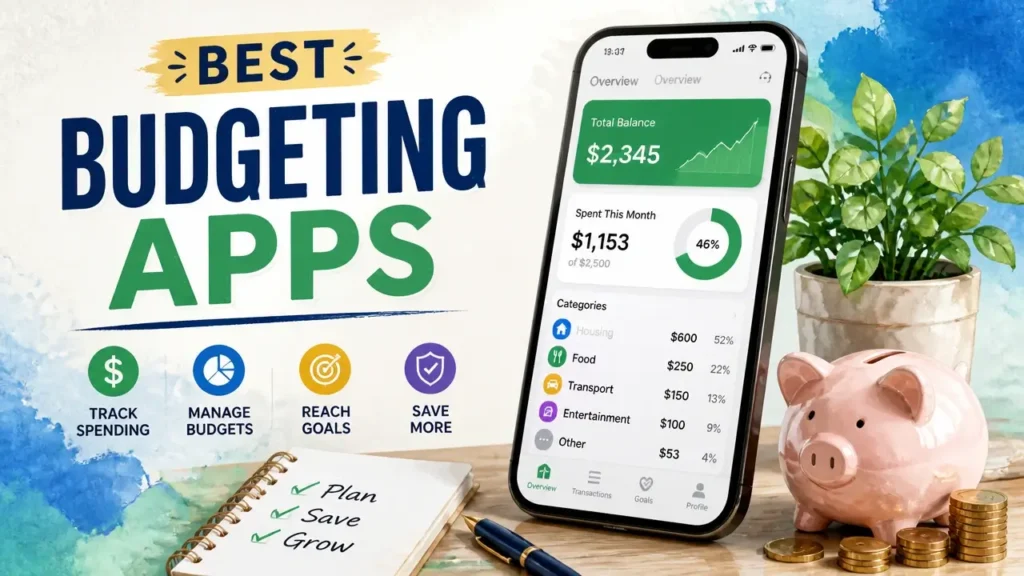
The best budgeting apps don’t all do the same thing – and that’s the part most rankings skip. Some give every dollar a job before the month starts. Others just watch money flow in and out. A few don’t touch your bank at all. The right choice isn’t about star ratings.
It’s about which system matches how your brain actually handles money. Get that fit right, and you’ll still be using the app in six months. Get it wrong, and even the highest-rated app becomes another icon you scroll past.
How to Pick the Right Budgeting App for Your Style
Budgeting app selection criteria matter more than feature lists, because every app on the market is built around one of three core methods – and picking the wrong method is the fastest way to quit. The app is built around one of three core methods and picking the wrong method is the fastest way to quit. Zero-based budgeting means you give every dollar a specific job until your income minus expenses equals zero. The envelope method divides your money into spending categories and stops you cold when a category runs dry. Cash-flow tracking skips the pre-planning entirely and just watches money move in and out in real time, flagging patterns after the fact.
Before you even look at an individual app, there’s one decision that shapes everything else: do you want the app to pull transactions automatically from your bank, or do you want to enter them yourself?
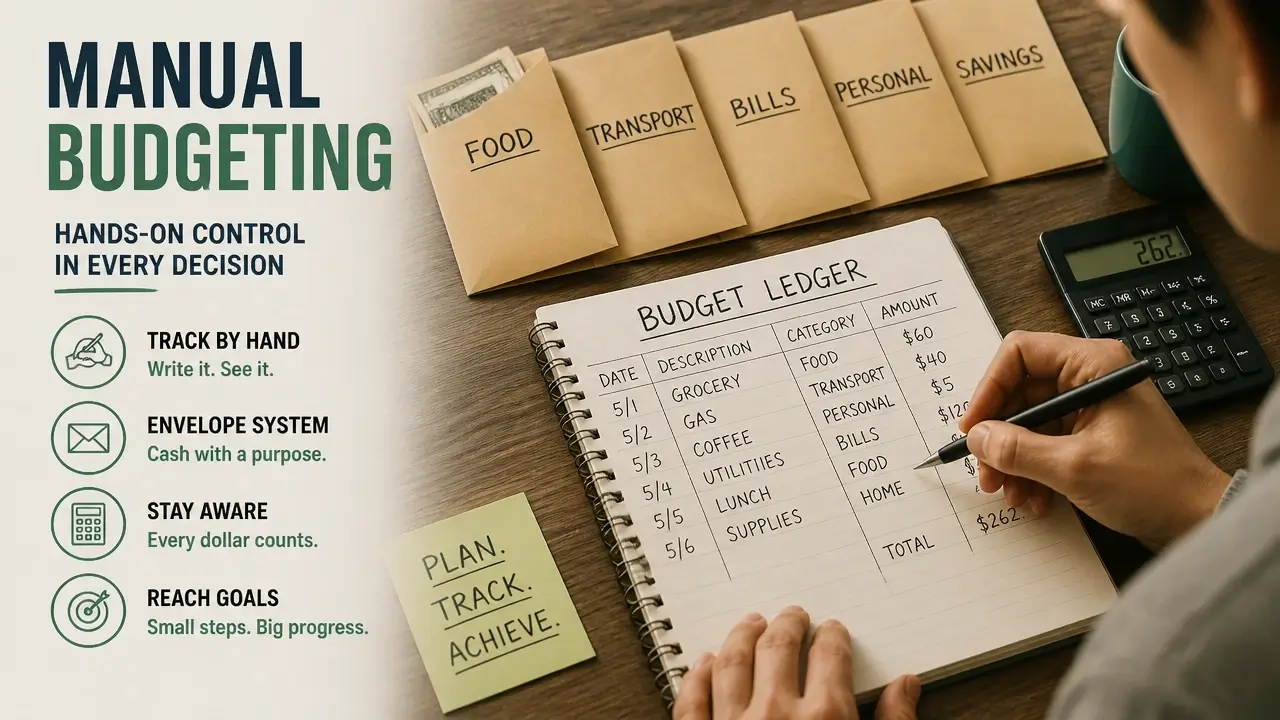
That single choice drives a cascade of tradeoffs. Manual entry means you never hand over your banking credentials to a third-party data aggregator – but you have to log every coffee, every grocery run, every gas fill-up yourself. That daily attention builds real financial awareness. Automated apps flip the equation: they sync directly with your bank, save you the logging time, and only need a weekly check-in to stay useful. The cost, though, is that you’re trusting an intermediary with your account access.
The cost-and-time tradeoff follows the same logic. Manual apps are often free or close to it, but the time you spend entering transactions is the real price. Automated apps typically run $8–$15 per month, but they hand back that daily friction in exchange.
Here’s the honest truth no ranking will tell you upfront: the best budgeting app is the one you’ll actually open tomorrow. A five-star app that feels like homework will be deleted inside a month. A simpler app that fits your existing routine will quietly change your finances over a year. So before you read a single profile below, ask yourself – do I have five minutes a day to log transactions, or do I need the app to do that for me?
One more thing worth knowing: real-world user frustration with automated apps almost never centers on missing features. It centers on bank-sync failures. An app can have every bell and whistle and still lose your connection to your credit union at random. App-store ratings don’t capture this, because most reviews are written in the first week – before the sync has had a chance to break. The only reliable test is running a free trial with your specific bank before you commit.
Here’s a side-by-side look at how these two approaches stack up before we get into the individual apps.
A knowledgeable neighbor would tell you to think of it like choosing between cooking every meal yourself versus subscribing to a meal kit service – one gives you control and costs less money but more time, the other trades a monthly fee for convenience, and neither is objectively better.
| Factor | Manual Entry Apps | Automated (Bank Sync) Apps |
|---|---|---|
| Data Entry | You log every transaction by hand | App pulls transactions automatically |
| Privacy / Security | No bank credentials shared | Credentials shared with third-party aggregator |
| Typical Cost | Free or low-cost | $8–$15/month |
| Time Commitment | 5–10 min daily | 15–30 min weekly |
| Best Habit Fit | Detail-oriented, daily check-in types | Busy users who want a weekly overview |
You might think app-store ratings are the most reliable filter here, but they only measure first-impression satisfaction – not whether you’ll still be using the app in three months. Researchers from the Journal of Economic Behavior & Organization, analyzing a nationally representative survey of 3,826 U.S. adults alongside transactional panel data, found that
“while more than 85 percent of respondents would either adjust their spending or update their spending limits if they overspent within a budget category, less than 30 percent would make such changes if they underspent their limit”
That asymmetry tells you something important: people respond to pain (overspending) far more than to opportunity (underspending). An app that makes overspending visible and immediate – whichever method it uses – is worth more to you than one with a longer feature list that buries the signal.
With that framework in hand, here’s how each app executes one of these philosophies in practice.
EveryDollar: Know Exactly What’s Safe to Spend
EveryDollar cuts through daily spending anxiety by doing one calculation automatically: it takes your income, subtracts your bills, savings commitments, and recurring expenses, and shows you a single “In My Pocket” number – the money that’s actually safe to spend right now. That’s cash-flow tracking distilled to its most useful output. No pre-assigned categories, no envelope-filling ritual – just a green light or a red light every time you’re about to open your wallet.
The method underneath is straightforward. EveryDollar monitors money in versus money out, auto-categorizes transactions, and surfaces recurring charges so nothing hides in the background. It’s not asking you to plan ahead. It’s telling you where you stand right now.
On pricing, a free tier gives you the core “In My Pocket” view and basic transaction tracking. PocketGuard Plus adds features like custom categories, a bill-tracking calendar, and debt payoff tools – verify the current monthly rate on their site before signing up, as pricing has shifted over time.
The setup is fast precisely because the app syncs directly with your bank accounts. That’s also the tradeoff: you’re sharing your banking credentials with a third-party aggregator to make that sync happen. For users who are comfortable with that exchange, the payoff is near-zero daily effort.
Who it’s best for: Beginners who want a simple daily answer to “can I spend this?” and who have no objection to linking their bank accounts. If decision fatigue around spending is your biggest problem, this is your app.
While the app’s “In My Pocket” number feels like the effortless answer, the real reliability of any syncing app depends on how cleanly it stays connected to your bank. The single largest pain point for users of automated budgeting apps is sync failures – not missing features – and star ratings don’t capture this because most reviews are written in the honeymoon period. Test EveryDollar’s connection with your specific bank during the free trial. That one step will tell you more than any review.
Goodbudget: The Digital Envelope System That Keeps Your Hands on Your Money
Goodbudget takes the oldest budgeting system in existence – the cash envelope – and puts it on your phone without ever asking for your bank password. You manually “fill” digital envelopes with set dollar amounts at the start of each period, log transactions as you spend, and watch each envelope drain in real time. When the groceries envelope hits zero, you’re done spending on groceries. Simple, tactile, and entirely in your control.
Because manual transaction entry is how the app connects to your real life, Goodbudget demands daily attention. Every purchase you make needs to be logged – which sounds like friction, but it’s actually the feature. That moment of recording a transaction is when you feel the budget working. Researchers in behavioral economics have observed exactly this effect.
The free version gives you a limited number of envelopes, which is enough to test the method. Goodbudget Plus – approximately $10/month or $80/year as of available data, though you should verify current pricing – expands the envelope count and enables cross-device sync. That sync is where the app earns its keep for households: a partner, roommate, or family member can log transactions on their own phone against the same shared envelopes in real time. No joint bank account required, no shared login – just a shared budget.
Researchers in the Journal of Behavioral and Experimental Economics confirmed what envelope users have known for decades:
“mental accounting – where money is compartmentalized into specific-purpose accounts – helps mitigate overspending”
The mechanism isn’t discipline. It’s friction. When the money in a category is visibly finite, you spend differently than when it’s an abstract number in a checking account.
Who it’s best for: Anyone who wants hands-on control, is uneasy about sharing banking credentials, or wants to budget collaboratively without merging finances. The manual requirement isn’t a downside for this user – it’s the whole point.
One thing almost no budgeting-app roundup addresses: because Goodbudget never asks for your bank login, it sidesteps the entire question of what third-party aggregators do with your data. The industry treats encryption and two-factor authentication as the complete security story. It rarely asks whether those aggregators share your data, sell it, or have undergone independent audits. Goodbudget’s architecture makes that question irrelevant. If privacy matters more than automation to you, a manual system removes the biggest unknown entirely.
Rocket Money: The App That Finds and Cancels Forgotten Subscriptions
Rocket Money does something no pure tracking app does: it goes looking for money you’re already losing. Its two headline features – automatic subscription detection and a bill-negotiation service – are built for the user whose budget is being quietly drained by charges they’ve forgotten about or never noticed.
The subscription scanner reads your bank transactions and surfaces every recurring charge, from the streaming service you signed up for during a free trial to the app you downloaded three years ago and never opened again. You see the full list, then decide what stays and what gets cancelled. The bill-negotiation service goes further – you hand Rocket Money a bill, and their team works to get the provider to lower it. When they succeed, they take a percentage of the savings as their fee, typically somewhere in the 30–60% range of the first-year savings. Verify the current fee structure on their site before using this feature.
The budgeting method underneath is cash-flow tracking with a cost-cutting layer on top. It monitors income and outflows the same way its competitor does, but the primary value proposition isn’t the daily spending number – it’s the proactive identification of waste. The base tracking tier operates on a flexible “pay what you think is fair” model for some users; premium services like bill negotiation carry a success-based fee. Pricing structures change, so confirm current tiers directly.
Two things to set realistic expectations on: the bill-negotiation service doesn’t cover every provider, and the subscription detection is only as good as the transaction descriptions your bank provides. Vague or truncated merchant names can slip through.
Who it’s best for: Anyone who suspects they’re leaking money to forgotten subscriptions and recurring charges, and who wants an app that actively fights to recover that money – not just one that shows them where it went.
Rocket Money’s pitch sounds like a fast win, and for many users it is. But it’s worth keeping this in mind: a higher-cost app or one with premium add-ons isn’t automatically better for your overall budget. The real fit depends on whether the app’s primary strength – bill cutting – solves your most expensive problem. If your biggest issue is subscription bloat, this app earns its keep on day one. If your issue is day-to-day overspending, a tracking-first tool will serve you better.
EveryDollar: Zero‑Based Budgeting Without the Price Tag
EveryDollar gives you a clean, beginner-friendly entry point into zero-based budgeting at no cost – as long as you’re willing to do the data entry yourself. The concept is straightforward: at the start of each month, you assign every dollar of expected income to a specific category – rent, groceries, gas, savings, dining out – until the math reaches exactly zero. Every dollar has a job before it gets a chance to disappear.
The interface is intentionally simple. A single monthly screen shows your spending categories, how much you’ve budgeted for each, and a progress bar that fills as you log transactions. There’s no learning curve to the layout. If you’ve never budgeted before, you can build your first zero-based plan in under twenty minutes.
On pricing: the free version requires manual transaction entry for everything. A paid premium tier – previously marketed under the Ramsey+ umbrella, now offered as EveryDollar Premium – adds automatic bank sync and additional reporting features. Verify the current monthly and annual cost on the EveryDollar site, as pricing has been updated since earlier data was collected.
The elephant in the room worth addressing: EveryDollar is built by Ramsey Solutions and reflects Dave Ramsey’s Baby Steps financial philosophy. The app itself works perfectly well as a zero-based budgeting tool whether or not you follow the full Ramsey framework – but its design choices, default categories, and in-app messaging are shaped by that worldview. If you’re an EveryDollar user, this will feel like a purpose-built home. If you’re not, the tool still works; just ignore the upsells.
Who it’s best for: Zero-based beginners who want to test the method completely free, and Ramsey followers who want a tool built around the system they’re already using.
Getting started on the free tier is easy. The harder question is whether you’re still using it six weeks from now. According to data published by Strategia-X’s fintech UX research, a significant share of budgeting app users abandon manual-entry apps within the first few weeks – long before the habit has had a chance to form. The free app stops being “free” if it costs you sustained motivation. Before you commit to the manual tier, be honest with yourself: do you have five minutes every day to log transactions, or will that feel like a punishment by week three? The method is proven. The question is whether the daily ritual fits your actual life.
YNAB (You Need A Budget): The Gold Standard for Zero‑Based Budgeting
YNAB is what zero-based budgeting looks like when it’s built as a complete financial operating system, not just a tracking tool. Where EveryDollar gives you the method at the lowest possible cost, YNAB gives you the method plus a philosophy, a support community, and a feature set deep enough to handle real financial complexity – sinking funds, irregular income, debt payoff, long-term goals.
The foundation is four rules. Give every dollar a job before the month starts. Embrace your true expenses by budgeting for irregular costs – car registration, holiday gifts, annual subscriptions – in small monthly installments so they don’t ambush you. Roll with the punches when reality diverges from the plan, adjusting categories without guilt instead of abandoning the budget entirely. Age your money by working toward spending dollars that are at least 30 days old, which breaks the paycheck-to-paycheck cycle structurally rather than through willpower.
Current pricing runs approximately $14.99 per month or $99 per year – confirm the latest figures on YNAB’s site. A free trial, typically 34 days, is long enough to build a full month’s budget and see whether the system genuinely clicks for you before you pay anything.
Beyond the core allocation engine, YNAB includes goal tracking for savings targets and sinking funds, loan payoff calculators, detailed spending reports, and YNAB Together – a shared-budget feature for partners or families. The app can import transactions automatically via bank sync, but the design philosophy actively encourages manual entry for at least the first few months, because the act of logging a transaction is how you build awareness. In practice, most long-term YNAB users settle into a hybrid: bank import for speed, manual review for intentionality.
Who it’s best for: Committed budgeters who are ready to change how they relate to money – not just track it – and who will actively engage with the app several times a week. The cost is real, but so is the system.
Here’s a walkthrough of YNAB’s getting-started process that shows exactly how the four rules translate into a working budget from day one:
Like any syncing app, YNAB’s automatic import relies on third-party aggregators – and this is the privacy blind spot that runs across the entire budgeting-app market. Reviews emphasize encryption and multi-factor authentication as the full security story. Very few ask whether those aggregators share or sell your data, whether they’ve undergone independent security audits, or whether your CCPA and GDPR rights apply to the data they hold. For an app that requires full banking access, reading the privacy policy before you commit isn’t paranoia – it’s basic due diligence. No other listicle will tell you that, but it’s the step that can determine whether you stay comfortable using the app long-term.
Researchers developing personalized lifetime financial frameworks put it plainly: Financial Solvency and Optimization Researchers found that
“optimizing the investment and budget allocation strategy has a much larger impact on the investor remaining solvent”
The app is the tool. The allocation strategy – how deliberately you assign and reassign every dollar – is what actually moves the needle.
Spendee: Tracking Made So Simple It’s Almost Fun
Spendee leads with design in a category where most apps lead with rules. The interface is built around clean charts, color-coded spending categories, and a wallet-style layout that makes your financial picture feel more like a dashboard than a ledger. If you’ve opened other budgeting apps, felt overwhelmed by the density, and closed them immediately – Spendee is built for exactly that moment.
The method is cash-flow tracking: money in, money out, categorized and visualized. There’s no zero-based pre-assignment, no envelope-filling ritual. You’re not planning ahead – you’re building awareness of patterns as they happen. That’s a lower commitment entry point, and for many beginners, it’s the right one.
The shared-wallet feature is one of Spendee’s most practical tools. You and a partner, roommate, or family member can track finances together against the same wallet in real time – logging transactions from separate devices, watching the same category totals update. It makes collaborative budgeting feel like a shared dashboard rather than a shared spreadsheet.
On cost: a free tier covers basic manual tracking. Paid tiers unlock unlimited wallets and automatic bank sync – verify current pricing for Spendee Plus and Premium plans on their site. The manual path keeps the app affordable and sidesteps the bank-credential question entirely, which is worth noting if privacy is a concern.
Applied psychology and human-computer interaction researchers studying technology-mediated feedback found that
“by increasing the transaction salience while explicitly highlighting both ordinary purchases as well as those that are considered exceptional, consumers reduced their spending”
Spendee’s visual design does exactly this – it makes spending visible and categorically distinct in a way that plain bank statements never do. That visibility alone changes behavior, even without a strict budget.
Who it’s best for: Visual learners, design-sensitive users, and anyone who has tried traditional budgeting apps, found them ugly or anxiety-inducing, and needs a more approachable interface to build a consistent habit.
Spendee’s polished charts make tracking feel effortless – but even the most beautiful interface can’t fix inconsistent bank syncing. Real-world frustration across the budgeting-app market centers on sync reliability, not design quality. A gorgeous app that loses its connection to your bank will still be abandoned. If you plan to rely on Spendee’s auto-sync, test it with your specific bank early in the trial period. That single check will tell you more than any review score.
The Verdict: Which App Will You Actually Use?
Budgeting app retention – not features, not ratings – is the only metric that determines whether any of these tools actually changes your finances. So here’s the honest framework: match the app to the trigger phrase that describes your real situation, start the free trial, and run it for 30 days before you evaluate anything.
Here’s the quick-reference version of everything covered above.
| Your Trigger Phrase | Best App | Method | Cost | Key Tradeoff |
|---|---|---|---|---|
| “Tell me what I can safely spend” | PocketGuard | Cash-flow tracking | Free / Plus ~$7.99/mo | Requires bank link; sync reliability varies |
| “I want envelopes without linking my bank” | Goodbudget | Envelope method | Free / Plus ~$10/mo | Manual entry daily; limited free envelopes |
| “Find and kill my forgotten subscriptions” | Rocket Money | Cash-flow + bill mgmt | Free / % of savings | Bill negotiation fee; not all providers covered |
| “Zero-based budgeting, free, I’ll do the work” | EveryDollar | Zero-based | Free / Premium paid | High drop-off risk without daily habit |
| “I’m all in on zero-based and ready to invest” | YNAB | Zero-based | ~$14.99/mo or ~$99/yr | Cost is real; read the privacy policy |
| “Just show me a beautiful picture of my spending” | Spendee | Cash-flow tracking | Free / Plus paid | Auto-sync reliability needs testing |
Every app on this list can work. The reason most people fail with budgeting apps isn’t that they picked the wrong one – it’s that they never built the surrounding habit. An app is a mirror. It shows you what’s happening. But you have to decide to look.
The concrete next step is simple: pick the app that matches your method preference and your honest answer about manual versus automatic. Download it today. If it syncs to your bank, test that connection in the first 48 hours – not after a month of use. Commit to opening it every day for 30 days, even if only for two minutes. At day 30, you’ll know whether it fits.
Behavioral psychologists studying personal financial management have found that Self-Determination Theory researchers confirmed what this whole guide has been pointing toward:
“autonomous motivation was positively associated with a host of beneficial financial outcomes (e.g., saving/investing, self-efficacy, well-being, and self-awareness)”
In plain terms: the app you chose for yourself, for reasons that make sense to your life, will outperform the app someone else told you was the best. That’s not a soft insight – it’s the mechanism behind why self-selected tools stick and assigned tools don’t.
One final thing no other list will tell you: the apps that make you uncomfortable about data privacy become apps you avoid. If you’re using an automated app and a quiet unease about who has your bank data keeps you from opening it – that’s a retention problem disguised as a privacy concern. Include one step in your trial: read the privacy policy, specifically the section on third-party data sharing. Check whether the app or its aggregator has published an independent security audit. If you can’t find that information, that’s your answer. An app you trust is an app you use.
Key Takeaways on Budgeting Apps
- The right budgeting app is the one built around your natural money habits, not the one with the highest star rating.
- Three core methods drive every app: zero-based budgeting, the envelope method, and cash-flow tracking – pick your method before picking your app.
- Manual-entry apps protect your privacy and cost less money; automated apps save daily time but require sharing bank credentials with a third-party aggregator.
- Sync failures – not missing features – are the top reason users abandon automated budgeting apps, and free trials are the only reliable way to test your bank’s compatibility.
- No budgeting app publishes long-term retention data, which means your own 30-day trial is the most honest ranking system available.
- Reading an app’s privacy policy before committing – specifically the data-sharing section – is the one step every other listicle skips and every user should take.
Frequently Asked Questions About Budgeting Apps
Is there a truly free budgeting app with no hidden costs?
Yes – both Goodbudget and EveryDollar offer genuinely functional free tiers that don’t require a credit card. The real cost is time: both require manual transaction entry, which means five to ten minutes of daily logging to keep your budget accurate.
What’s the highest-rated budgeting app right now?
YNAB and Mint (before its shutdown) have historically dominated “best of” lists, but star ratings measure first-impression satisfaction, not whether you’ll still be using the app in three months. A highly rated app that doesn’t match your budgeting method will still be abandoned.
What is the 50/30/20 rule, and do any of these apps support it?
The 50/30/20 rule splits your after-tax income into 50% needs, 30% wants, and 20% savings or debt repayment. It’s a guideline, not a strict method – and you can apply it inside any cash-flow tracking app like PocketGuard or Spendee by setting custom category targets to match those percentages.
What is Dave Ramsey’s favorite budgeting app?
EveryDollar is the app built by Ramsey Solutions specifically around Dave Ramsey’s Baby Steps framework and zero-based budgeting philosophy. You don’t have to follow the full Ramsey program to use it effectively, but the app’s design and messaging reflect that worldview throughout.
Can a budgeting app actually improve my finances, or is it just tracking?
Tracking is the mechanism – visibility changes behavior. Research on transaction salience shows that consumers spend less when purchases are made visible and categorized, even without strict rules attached. The app creates the awareness; your decisions do the rest.
What if my bank doesn’t sync properly with a budgeting app?
Test the sync connection within the first 48 hours of your free trial, not after weeks of use. If the connection is unreliable with your specific bank, switch to a manual-entry app like Goodbudget or EveryDollar’s free tier rather than fighting a broken sync indefinitely.
Are budgeting apps safe to connect to my bank account?
The industry standard answer is yes – encryption and multi-factor authentication are real protections. The question most reviews skip is whether the third-party aggregator that handles the sync shares or sells your data, and whether they’ve published an independent security audit. Read the privacy policy before you link anything.
What if I try an app and quit after two weeks?
That’s the most common outcome in the category, and it usually means the method didn’t match your habits – not that budgeting doesn’t work for you. If you quit a manual app, try an automated one. If you quit a rules-heavy app, try a visual tracker like Spendee. The method fit matters more than the specific app.
References
- Journal of Economic Behavior & Organization – Budgeting and spending asymmetry study (N=3,826) – sciencedirect.com
- Journal of Behavioral and Experimental Economics – Mental accounting and overspending research – sciencedirect.com
- Journal of Economic Behavior & Organization – Self-determination theory and financial outcomes – sciencedirect.com
- Financial Solvency and Optimization – Investment and budget allocation strategy research – springer.com
- Why Budgeting Apps Fail: 30-Day Fintech UX Data – strategia-x.com