
Budgeting apps are only as useful as the habit they help you build – and most beginners abandon them not because they’re bad at budgeting, but because they picked a tool that fights their natural money style. A high star rating on the app store tells you nothing about whether the method behind the app will click with how you actually live.
This guide cuts through the feature noise. Five apps. Each matched to a specific type of beginner. No affiliate links, no filler.
How We Chose the Best Budgeting Apps
Carefully designed app selection criteria separate a genuinely beginner-friendly budgeting app from a feature-heavy product dressed up in simple packaging. The standard approach – sorting by app store rating and feature count – misses the two things that actually determine whether a beginner sticks with a tool: how quickly they can get started without any accounting background, and whether the budgeting method behind the app matches the way they think about money.
Every app on this list had to clear five bars before it made the cut.
- Instant setup: No accounting jargon in the onboarding. A first-time user should be able to understand what they’re looking at within minutes, not after watching a tutorial series.
- Visual clarity: The interface has to communicate financial information without requiring the user to decode it. Charts, color-coded categories, and clean dashboards over data tables.
- Method support: Each app had to support at least one recognized budgeting approach – zero-based budgeting, envelope allocation, or straightforward spend tracking – not just a generic “track your expenses” feature set.
- Transparent pricing: No hidden tier walls. We evaluated what each free version actually delivers and whether paid upgrades are worth the jump.
- Cross-platform availability: iOS, Android, and web access. A budgeting app you can only reach from one device is a budgeting app you’ll eventually stop using.
We also applied two filters that most comparison guides skip entirely.
The first is security transparency. The phrase “bank-grade encryption” appears in nearly every app’s marketing copy, but it’s self-reported and unverifiable. Third-party certifications – SOC 2 Type II, ISO 27001 – are rarely disclosed, and almost no mainstream guide flags this gap. We deprioritized apps that couldn’t point to auditable evidence and favored those with clear privacy policies and two-factor authentication at minimum.
The second is what we’re calling the retention gap. No major source publishes data on how many users are still actively budgeting six months after downloading an app. Because consistency matters more than sign-up, we weighted method-to-personality fit above raw feature count. An app with ten features you’ll ignore is worse than an app with three you’ll use every week.
One more thing worth naming upfront: mainstream rankings overrepresent paid apps – often $80 to $100 per year – partly because affiliate structures reward premium picks. We deliberately included a completely free option and the zero-based standard-bearer YNAB to cover the full spectrum of beginner philosophies. This article carries no affiliate relationships. Every pick here is independent.
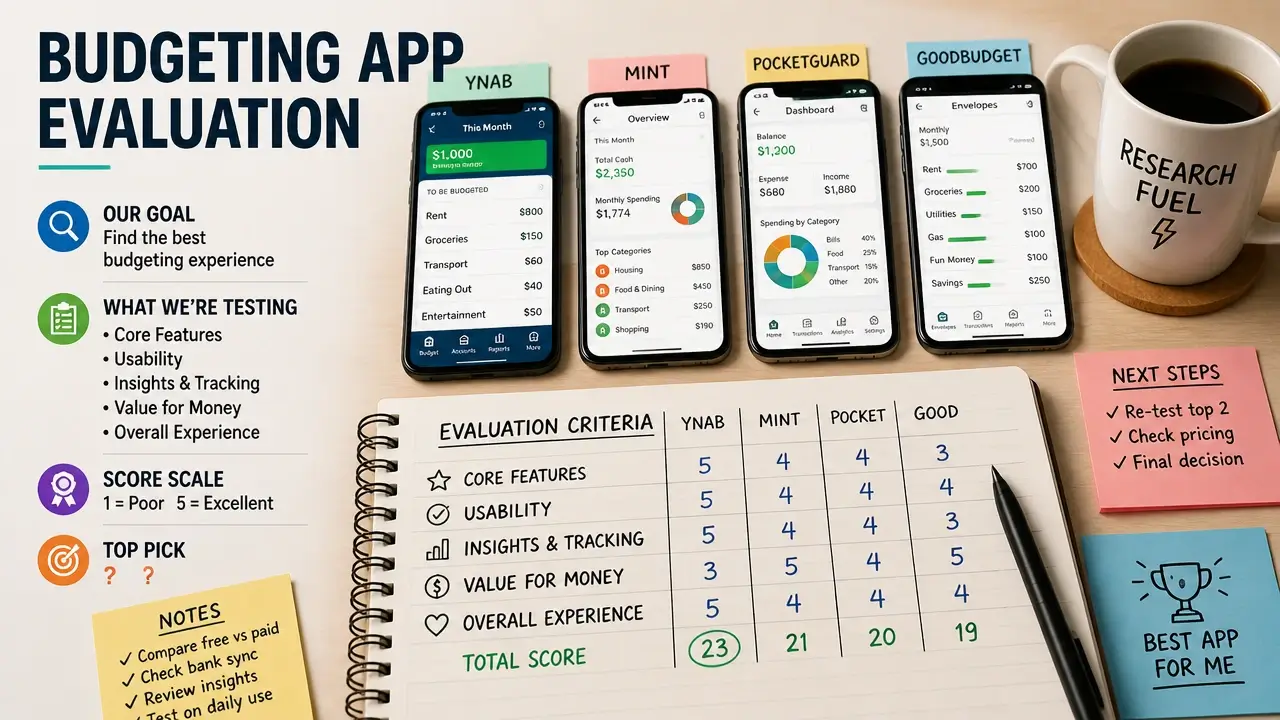
Here’s a look at the research process behind these selections:
Spendee: Visual Tracking Without the System
Spendee, the colorful spend-tracking app built for visual learners, strips budgeting down to its most approachable form – a graphic wallet-and-category dashboard that shows where your money went without asking you to follow any rules first. There’s no zero-based philosophy to internalize, no envelope to fill before the month starts. You spend, you log it or sync it, and Spendee turns it into a picture.
That simplicity is the entire point. For a beginner who finds rows of numbers overwhelming, Spendee functions less like a financial tool and more like a personal finance diary – one that happens to tell you, without judgment, that you spent $340 on dining out last month.
The free basic version is genuinely usable. There’s no trial countdown and no aggressive push to upgrade. You get access to core tracking, customizable categories, and the visual dashboard without handing over a credit card. The premium tier – typically a few dollars per month – unlocks additional wallets, multiple currency support, and full data export, which matters if you manage money across accounts or travel frequently.
One practical detail worth knowing: Spendee offers a lightweight manual entry mode for users who don’t want to link bank accounts. In a space where many apps require account connection to function properly, this is a meaningful option for anyone cautious about sharing financial credentials.
Best for: Visual learners, total beginners who want to observe spending patterns before committing to any formal method, and anyone who’s been put off by apps that feel like homework.
The honest limit: Spendee shows you where your money went. It doesn’t help you decide where it should go. If you want to pre-plan categories and enforce limits before you spend, you’ll want something built around allocation rather than observation.
Goodbudget: Envelope Budgeting Without the Paper
Goodbudget, the digital envelope budgeting app designed for hands-on planners, rebuilds the classic cash-envelope system inside your phone – you allocate funds to virtual envelopes for groceries, dining, rent, and whatever else, and you spend from those envelopes knowing exactly what’s left in each one. The discipline isn’t enforced by software alerts; it’s built into the method itself.
This approach predates apps entirely. The envelope system works because it forces a spending decision before the purchase, not after. Goodbudget simply moves that process from paper and cash into a shared digital interface.
Where the Free Tier Actually Gets You
The free version of Goodbudget provides up to 10 envelopes – enough to test whether the method fits how you think before committing to anything. For a beginner trying envelope budgeting for the first time, 10 categories covers most of the essentials: housing, groceries, transportation, dining, utilities, entertainment, savings, and a few personal categories. That’s a complete monthly budget for most people.
The premium tier costs $80 per year and unlocks unlimited envelopes, account syncing, and expanded transaction history. Among the 38 apps that Forbes evaluated across a 684-data-point analysis, Goodbudget stands out as the only tool built exclusively around envelope budgeting – not as one feature among many, but as the entire architecture of the product. That focus matters for beginners because it means every design decision in the app reinforces the same methodology. There’s no competing approach to confuse you.
Shared Budgeting Built Into the Structure
Real-time household sync – the ability for two people to draw from the same envelope simultaneously – is built into Goodbudget from the ground up, not added as a premium afterthought. When one partner spends from the grocery envelope, the other sees the updated balance immediately.
NerdWallet specifically flags this feature as ideal for couples who budget together, and the reason is structural: most money conflicts in relationships come from asymmetric information – one person knows the balance, the other doesn’t. Goodbudget’s sync removes that gap without requiring a budget meeting every time someone buys something.
Best for: Individuals and couples who want to pre-plan spending by category, enforce limits before the money is gone, and anyone who’s read about the envelope method and wants to try it without carrying cash.
The honest limit: Goodbudget requires active participation. You have to fill the envelopes, track the spending, and stay engaged. If you want the app to do most of the work automatically, the next pick is built for that.
Rocket Money: Automated Subscription Cleanup
Rocket Money, the automated transaction-tracking app built around subscription management, does something most budgeting apps don’t attempt – it actively works to lower your bills rather than just showing you what you’ve already paid. The core function is familiar: connect your accounts, get your spending categorized automatically. But the layer on top of that is what makes it distinct.
The subscription dashboard surfaces every recurring charge attached to your accounts and offers one-tap cancellation directly inside the app. Not an alert that a subscription exists. Not a reminder to cancel it yourself. An actual cancellation, executed on your behalf.
The Bill Negotiation Mechanism
Through its partner Billshark, Rocket Money will negotiate lower rates on cable, internet, and phone bills directly with your providers. The fee structure is contingency-based: Rocket Money takes a cut only if they save you money. If the negotiation fails, you pay nothing. That structure removes the risk of trying it, which is why it’s worth mentioning as a real feature rather than marketing copy.
This service is absent from every other app on this list. No other pick here will call your internet provider.
The core budgeting features – transaction syncing, spending categories, net worth tracking – are free. The premium tier, typically a few dollars per month, is what unlocks subscription cancellation, bill negotiation, and a few additional tracking tools.
Who It’s Actually Built For
Rocket Money earned particular attention after Mint shut down in early 2024, leaving millions of users without a primary budgeting tool. CNET named it the best overall Mint replacement, citing the combination of passive tracking and active money-saving features as the closest functional equivalent to what Mint offered – with more aggressive cost-cutting built in.
Best for: Beginners who suspect they’re leaking money through forgotten subscriptions, anyone who wants automated categorization without manual input, and former Mint users looking for a direct replacement.
The honest limit: Rocket Money tells you what you’ve spent and helps you spend less on recurring bills. It doesn’t ask you to plan ahead or assign money before you spend it. If you want a proactive, forward-looking system, the next app is built around exactly that.
YNAB: The Zero-Based System for Rule Followers
YNAB – You Need A Budget – is the zero-based budgeting app built around a single, non-negotiable rule: every dollar you currently have gets assigned a job before it gets spent. Not after. Not at the end of the month when you’re reviewing what happened. Before. The method runs on four rules that govern how you think about money, and the software is built to enforce all four simultaneously.
The four rules are: give every dollar a job, embrace true expenses (plan for irregular costs like car repairs and annual subscriptions), roll with the punches (adjust your budget when reality changes instead of abandoning it), and age your money (work toward spending money you earned at least 30 days ago, breaking the paycheck-to-paycheck cycle).
The Learning Curve Is Real – and Worth It
YNAB costs $99 per year after a 34-day free trial. There is no permanent free tier. That trial window is longer than the industry standard of 7 to 14 days, and the reason matters: a full monthly cycle is the minimum time needed to understand whether zero-based budgeting fits how you think. One week isn’t enough to encounter a true expense, adjust a category mid-month, and feel the system working as intended.
The learning curve is steeper than any other app on this list. That’s not a flaw – it’s a feature filter. YNAB is built for beginners who are ready to commit to a philosophy, not just download an app.
Lauren Schwahn, Personal Finance Writer and Budgeting Expert at NerdWallet, frames the tradeoff plainly:
“A zero-based budgeting app forces you to give every dollar a job, which is a highly proactive way to budget, though these premium options typically require a paid subscription.”
The proactive nature of the system is what separates YNAB from every other pick here. You’re not reviewing what happened – you’re deciding what will happen.
The Debt Payoff and Security Layer
YNAB includes a loan-payoff simulator that lets you model the effect of extra debt payments in real time, showing the interest you’d save and the time you’d cut from your payoff timeline. For a beginner carrying student loans or credit card debt, this turns an abstract goal into a specific number.
On security, YNAB supports passkey authentication and hardware security keys – a step beyond standard two-factor authentication that NerdWallet specifically calls out. For an app that holds a detailed picture of your entire financial life, that matters.
YNAB Together allows budget sharing with a partner at no additional cost, which addresses the couple-budgeting need without requiring a separate subscription.
Here’s a real-time walkthrough of how YNAB’s four rules work in practice:
Best for: Beginners ready to invest a few hours learning a method, rule-followers who want a system that forces forward planning, and couples who need a shared budgeting framework.
The honest limit: YNAB requires ongoing engagement. If you’re not willing to open the app regularly and assign dollars as money comes in, the cost won’t feel worth it. It’s the highest-commitment pick on this list.
Empower: The Free Dashboard for Big-Picture Beginners
Empower Personal Dashboard – formerly Personal Capital – is the only genuinely free budgeting app on this list, and its business model explains why it can stay that way. Empower earns revenue from optional wealth management services aimed at high-net-worth clients. The budgeting and personal finance dashboard is the lead product, not a freemium funnel. Restricting its features with a paywall would undermine the entire model.
That distinction matters because it changes what “free” actually means here. Most apps labeled free either cap core features, run a trial clock, or push upgrade prompts throughout the experience. Empower’s wealth management prompts are entirely opt-in and never touch the budgeting tool. You can use the dashboard indefinitely without encountering a paywall or a sales pitch.
What the Dashboard Actually Shows You
Empower syncs across all connected accounts – banking, credit cards, investment accounts, loans – and consolidates everything into a single net worth view. You see your assets, your debts, and your monthly cash flow on one screen. The dashboard also includes a retirement planner and a portfolio analyzer that breaks down asset allocation and investment fees.
Lauren Fitzpatrick, Personal Finance Reviewer and Editor at Forbes Advisor, describes the model that makes this possible:
“If you want a comprehensive financial snapshot that is fully free and does not constantly pressure you with premium financial product upsells, look for robust, ad-free trackers.”
Empower is the closest thing to that description in this category. The platform is backed by a registered investment advisor, which gives it a credibility layer that pure consumer apps don’t carry.
Where It Fits in a Beginner’s Financial Life
Empower is the only pick on this list that functions simultaneously as a budgeting tool and a beginning investment checkup. For a beginner who has started contributing to a 401(k) or IRA but has no clear picture of their overall financial position, the portfolio analyzer provides context that no other app here can match.
What it doesn’t do is enforce granular category limits or guide you through a budgeting methodology. If you want to pre-assign dollars to groceries and dining and track against those limits, Goodbudget or YNAB is a better fit. Empower is for the beginner who wants to understand the full shape of their finances before deciding which method to apply.
Best for: Beginners who want a complete financial snapshot without paying anything, those who want to see net worth and investment health alongside spending trends, and anyone who finds granular category tracking too detailed for where they are right now.
The Right App for You: Our Take
The most quoted line in budgeting app reviews is also the least useful: “The best app is the one you’ll use.” It’s true, but it doesn’t help you decide. What actually helps is matching the app’s underlying method to the way you naturally engage with money – because that’s the variable most likely to determine whether you’re still using it in six months.
Here’s the honest one-line summary of each pick:
| App | Cost | Budgeting Method | Key Feature | Best For |
|---|---|---|---|---|
| Spendee | Free / ~$3/mo premium | Spend tracking | Visual wallet dashboard | Visual learners, total beginners |
| Goodbudget | Free (10 envelopes) / $80/yr | Envelope budgeting | Real-time household sync | Hands-on planners, couples |
| Rocket Money | Free / ~$6–12/mo premium | Automated tracking | Subscription cancellation + bill negotiation | Subscription leakers, ex-Mint users |
| YNAB | $99/yr (34-day free trial) | Zero-based budgeting | Loan payoff simulator, passkey security | Rule followers, debt-focused beginners |
| Empower | Completely free | Net worth + cash flow | Full financial dashboard + portfolio analysis | Big-picture beginners, free seekers |
No app on this list will work if it doesn’t match your daily habits. Switching apps every few weeks – chasing better features or a cleaner interface – sabotages progress more reliably than picking a “wrong” app ever could. Consistency with an imperfect tool beats inconsistency with a perfect one.
Use this matching logic to make the call:
- If you hate systems and just want to see where your money goes → start with Spendee
- If you want to pre-assign spending before the month starts → start with Goodbudget
- If you know you’re bleeding money on subscriptions you’ve forgotten → start with Rocket Money
- If you’re ready to commit to a philosophy and want real debt traction → start with YNAB
- If you want a free, complete financial picture without any methodology pressure → start with Empower
Start with the free tier or free trial of whichever app matches your style. Don’t upgrade until you’ve used it consistently for two months. That’s the only test that matters – not the rating, not the feature list, and not what a comparison guide told you was best.
Pick one. Download it now. The ten-minute setup is the only thing between you and a clearer picture of your money.
Key Takeaways on Budgeting Apps
- Method-to-personality fit predicts long-term use better than feature count or app store ratings.
- Most “free” budgeting apps restrict core features; Empower is the only pick here with no functional paywall.
- Goodbudget is the only app on this list built exclusively around envelope budgeting, with no competing methodology mixed in.
- YNAB’s 34-day trial gives you a full monthly cycle to test zero-based budgeting before paying $99 per year.
- Rocket Money’s bill negotiation service – absent from every other app here – actively lowers bills rather than just tracking them.
- Switching apps frequently causes more budgeting failure than picking a suboptimal app and sticking with it.
Frequently Asked Questions About Budgeting Apps
Is there a budgeting app that’s completely free with no hidden upgrade pressure?
Yes – Empower Personal Dashboard is genuinely free with no paywall on its core budgeting features. The company earns revenue from optional wealth management services, so restricting the budgeting tool would work against its own business model.
What’s the highest-rated budgeting app for someone who’s never budgeted before?
Ratings vary by platform, but a high star rating doesn’t tell you whether the app’s method will match how you think about money. For pure beginners, Spendee’s visual dashboard has the lowest friction to get started, while YNAB consistently earns the highest marks from users who want a structured system.
What is the 50/30/20 rule and which app supports it?
The 50/30/20 rule splits your after-tax income into needs (50%), wants (30%), and savings or debt payoff (20%). None of the five apps here enforce it natively, but Goodbudget’s envelope system lets you manually set up envelopes that mirror those three buckets – making it the most natural fit for applying the rule in practice.
Can I use a budgeting app if I don’t want to link my bank account?
Yes. Spendee’s manual entry mode lets you log transactions without connecting any financial accounts. Goodbudget also operates primarily on manual entry, which is part of why its method builds spending awareness – you feel every transaction when you record it yourself.
Will YNAB work if my income is irregular or freelance-based?
YNAB is actually well-suited to irregular income because its core rule – budget only the money you currently have – prevents you from planning against income that hasn’t arrived yet. You build your budget as money comes in, not against a projected monthly total. The “age your money” rule is specifically designed to help irregular earners build a cushion.
What happened to Mint, and which app is the closest replacement?
Intuit shut down Mint in early 2024 and redirected users to Credit Karma. CNET named Rocket Money the best functional replacement, citing its combination of automated transaction tracking, spending categories, net worth monitoring, and the subscription management features that Mint never offered.
Is it safe to connect bank accounts to a budgeting app?
The risk level depends on the app’s security architecture, not just its marketing claims. Prioritize apps that support two-factor authentication and have third-party security certifications rather than self-reported “bank-grade encryption.” YNAB goes furthest here, supporting passkey authentication and hardware security keys. For users who want zero credential exposure, manual-entry apps like Spendee and Goodbudget eliminate the connection risk entirely.
How long should I try an app before deciding if it’s working?
Two full months is the practical minimum. One month isn’t enough to encounter irregular expenses, adjust your categories mid-cycle, and feel whether the method has become a habit. If you’re using YNAB, the 34-day free trial is designed to get you through exactly one monthly cycle – use all of it before deciding.
References
- Best Budgeting Apps: 38 Apps Compared Across 684 Data Points – Forbes.com
- Best Budget Apps of 2025 – NerdWallet.com
- Best Budgeting Apps Reviewed by Forbes Advisor – Forbes.com