Writing Service Demo

One topic.
Multiple articles.
Different by design.
Minimalist graphic illustrating the Toan Made topical authority writing service with a central pillar and orbital semantic knowledge nodes.

01.

How It Works

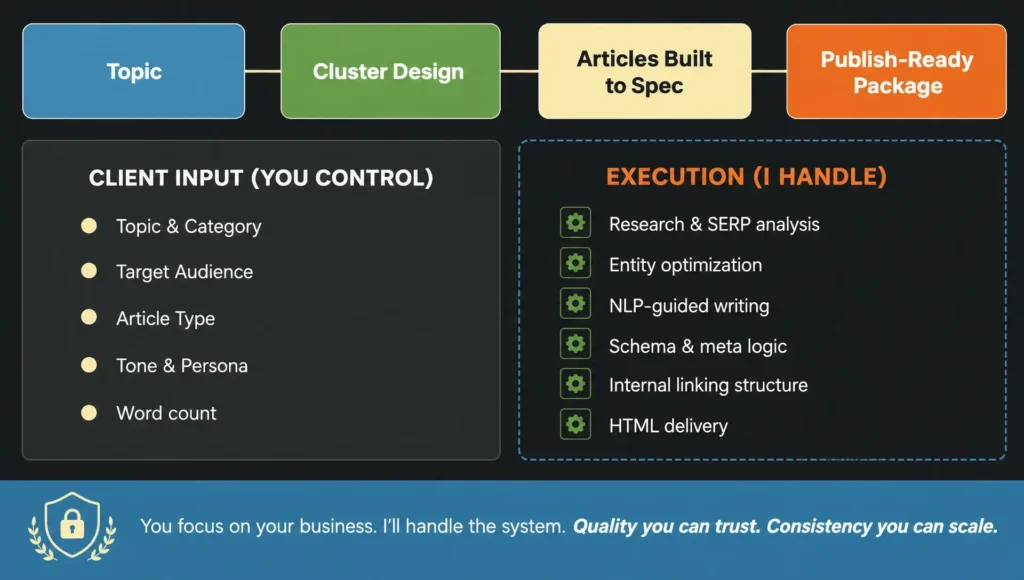
I design topic clusters — a set of articles built to cover one subject completely.

I don't write single articles.

Two‑column workflow: client controls input – expert handles research, entity optimization, NLP writing, schema, linking, and HTML delivery for publish‑ready articles.

02.

Topic Clusters Demo

Pick a cluster topic, see how it’s structured, then watch the same article rewritten through four different Personas – same brief, completely different writer persona.

Budgeting for Beginners

4 articles · Beginner to Intermediate audience

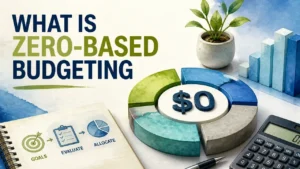
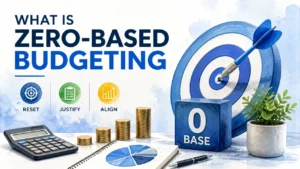
Hub: What Is Zero-Based Budgeting
Same brief

  • Type: Info
  • Target Audience: budget-curious beginner
  • Role: Introduces zero-based budgeting as a concept, establishes why most people fail at budgeting, and frames the cluster’s central question: how do you make every dollar work?
  • Mini Brief: Define zero-based budgeting and how it differs from traditional budgeting. Explain the core mechanic (income minus expenses = zero). Cover who it works best for. Address the most common misconception (zero balance ≠ broke). Set up the reader to explore specific methods and tools in spoke articles.

Different Persona

The Mechanic

Doesn’t tell you what’s broken – takes it apart so you can see exactly why it stopped working. This is my default Persona

A professional 3D infographic illustrating zero-based budgeting explained with modern design elements

The Auditor

Follows the money until it shows you where the risk actually lives. Designed for Finance posts.

A hyper-realistic 3D rendering with watercolor textures depicting a balanced zero-based budgeting concept for personal finance

Same brief

  • Type: How-to
  • Target Audience: budget-conscious beginner
  • Role: Provides the foundational skill that makes any budgeting method work. Practical entry point for readers who know they need to budget but don’t know where to start.
  • Mini Brief: Explain why expense tracking is the prerequisite to budgeting. Cover three tracking methods: manual (spreadsheet), app-based, and bank categorization. Walk through setting up a simple tracking system. Include common tracking mistakes and how to avoid them.

Different Persona

The Mechanic

Doesn’t tell you what’s broken – takes it apart so you can see exactly why it stopped working. This is my default Persona

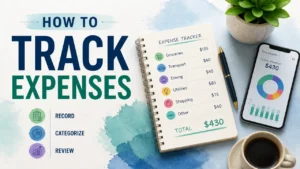
A stylized 3D infographic illustration for a guide on how to track expenses, featuring clean typography and financial growth symbols.

The Auditor

Follows the money until it shows you where the risk actually lives. Designed for Finance posts.

A stylized, hyper-realistic 3D rendering of financial tracking tools with a watercolor texture, representing a guide on how to track expenses.

Same brief

  • Type: Comparison
  • Target Audience: budget-aware intermediate
  • Role: Helps readers who already know both methods exist decide which fits their situation. Deepens the Hub’s framing by showing zero-based budgeting in context against its most popular alternative.
  • Mini Brief: Define both methods clearly without assuming prior knowledge. Compare across four dimensions: time investment, flexibility, best income type (fixed vs variable), and psychological fit. Address who should use each. End with a decision framework, not a winner.

Different Persona

The Mechanic

Doesn’t tell you what’s broken – takes it apart so you can see exactly why it stopped working. This is my default Persona

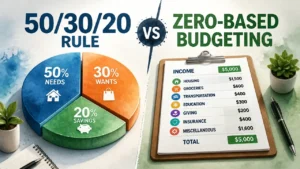
A stylized, high-end 3D infographic comparing the 50/30/20 rule and zero-based budgeting for personal finance management.

The Auditor

Follows the money until it shows you where the risk actually lives. Designed for Finance posts.

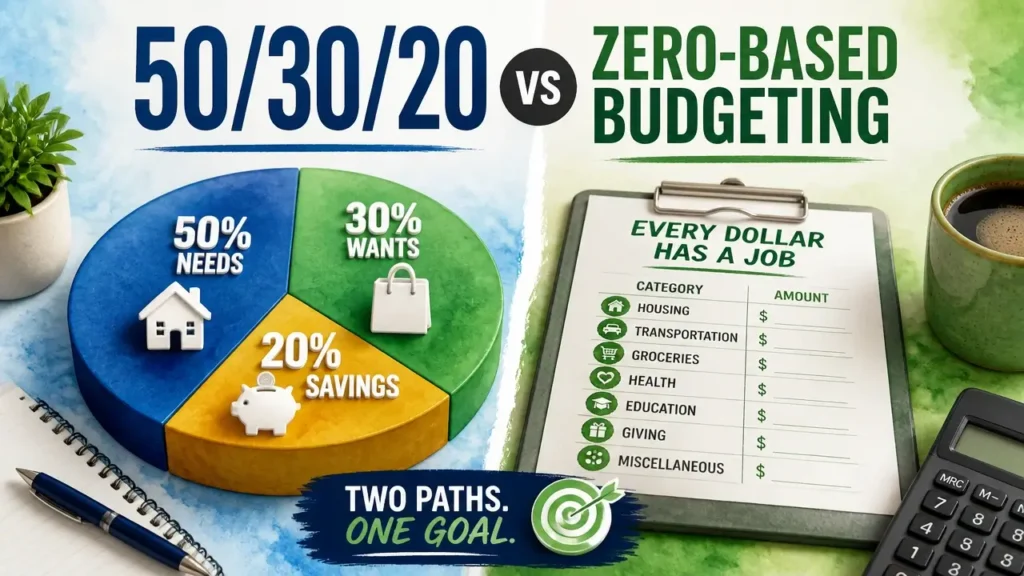
A stylized 3D infographic comparing the 50/30/20 rule and zero-based budgeting for personal finance management.

Same brief

  • Type: Listicle
  • Target Audience: budget-ready beginner
  • Role: Converts readers who understand budgeting concepts into action. Provides the tool layer that makes the Hub’s method executable.
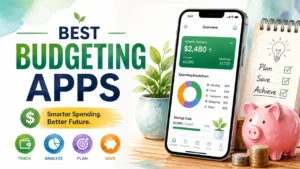
  • Mini Brief: Cover 5-7 apps. For each: what budgeting method it supports, cost, key feature, and who it’s best for. Include at least one free option and one zero-based specific app (YNAB). Address the “best app is the one you’ll use” reality. No affiliate framing.

Different Persona

The Mechanic

Doesn’t tell you what’s broken – takes it apart so you can see exactly why it stopped working. This is my default Persona

A hyper-realistic 3D render with watercolor textures showcasing digital icons of the best budgeting apps on a clean, modern financial dashboard.

The Auditor

Follows the money until it shows you where the risk actually lives. Designed for Finance posts.

A hyper-realistic 3D rendering with watercolor textures displaying a modern infographic layout for the best budgeting apps.

Intermittent Fasting

4 articles · Beginner to Intermediate audience

Hub: How Intermittent Fasting Works

Same brief

  • Type: Info
  • Target Audience: health-curious beginner
  • Role: Establishes the biological mechanism behind intermittent fasting, frames it as a timing strategy rather than a diet, and sets up the cluster’s central question: which method fits your life?
  • Mini Brief: Explain what happens metabolically during a fasting window (insulin drop, glycogen depletion, fat oxidation). Define the most common protocols without ranking them. Address the most common misconception (fasting ≠ starvation). Cover who should not fast without medical supervision. Set up spoke articles by hinting at method differences and gender considerations.

Different Persona

The Mechanic

Doesn’t tell you what’s broken – takes it apart so you can see exactly why it stopped working. This is my default Persona

A hyper-realistic 3D rendering with watercolor textures illustrating the concept of how intermittent fasting works through abstract metaphors.

The Physiologist

Starts with what your body is trying to solve before telling you what you should do. Designed for Health & Wellness posts.

A hyper-realistic 3D rendering with watercolor textures showing an abstract concept of how intermittent fasting works through time-restricted metabolic cycles.

Same brief

  • Type: Comparison
  • Target Audience: fasting-curious intermediate
  • Role: Helps readers move from “I want to try intermittent fasting” to “I know which protocol to start with.” Deepens the Hub’s method overview into a practical decision.
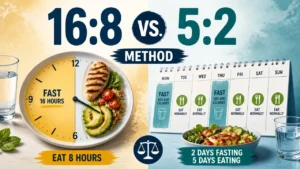
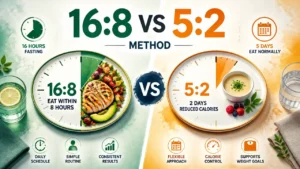
  • Mini Brief: Explain both protocols mechanically — not just what they are but why the timing structures produce different physiological responses. Compare across: daily sustainability, social eating compatibility, muscle retention risk, and results timeline. Address common failure points of each. End with a decision framework based on lifestyle type, not willpower.

Different Persona

The Mechanic

Doesn’t tell you what’s broken – takes it apart so you can see exactly why it stopped working. This is my default Persona

A stylized 3D infographic comparison of 16:8 vs 5:2 intermittent fasting dietary patterns.

The Physiologist

Starts with what your body is trying to solve before telling you what you should do. Designed for Health & Wellness posts.

A professional 3D watercolor-style infographic comparing the 16:8 and 5:2 intermittent fasting methods.

Same brief

  • Type: Info
  • Target Audience: fasting-practicing intermediate
  • Role: Serves readers already doing intermittent fasting who want to optimize results. Shifts focus from timing to food quality — the layer most beginners miss.
  • Mini Brief: Explain why food quality during the eating window determines whether fasting produces results or just hunger. Cover macronutrient priorities (protein for muscle retention, fat for satiety, carb timing). Address what breaks a fast vs what doesn’t. Include practical meal structure for a 16:8 window. Avoid meal plan prescriptions — focus on principles.

Different Persona

The Mechanic

Doesn’t tell you what’s broken – takes it apart so you can see exactly why it stopped working. This is my default Persona

A stylized 3D infographic showing healthy food choices for an intermittent fasting eating window to improve food quality.

The Physiologist

Starts with what your body is trying to solve before telling you what you should do. Designed for Health & Wellness posts.

A stylized 3D watercolor-style infographic showing healthy balanced food options for intermittent fasting eating window nutrition.

Same brief

  • Type: Info
  • Target Audience: health-aware intermediate woman
  • Role: Addresses a critical gap in mainstream intermittent fasting content — hormonal considerations that make standard protocols less effective or potentially harmful for women. Expands the cluster’s reach to a distinct audience segment.
  • Mini Brief: Explain how the female hormonal cycle interacts with fasting-induced cortisol and estrogen fluctuation. Cover why standard 16:8 advice doesn’t account for luteal phase sensitivity. Discuss modified protocols that work better for women (shorter fasting windows, cycle syncing). Address the difference between pre- and post-menopausal responses. Cite relevant research without overstating conclusions.

Different Persona

The Mechanic

Doesn’t tell you what’s broken – takes it apart so you can see exactly why it stopped working. This is my default Persona

A stylized, professional 3D infographic showing the balance of female hormones during intermittent fasting.

The Physiologist

Starts with what your body is trying to solve before telling you what you should do. Designed for Health & Wellness posts.

Professional 3D illustration of a woman balancing health and hormones with intermittent fasting

Email Marketing

4 articles · Beginner to Intermediate audience

Hub: How Email Marketing Works

Same brief

  • Type: Info
  • Target Audience: marketing-aware beginner
  • Role: Establishes email marketing as a system, not just a tool. Frames the cluster around the central question: how do you build a list that actually converts?
  • Mini Brief: Explain the full email marketing loop: list building → segmentation → campaign → automation → analytics. Define key metrics (open rate, CTR, unsubscribe rate) without going deep on benchmarks. Address the most common misconception (more subscribers ≠ better results). Cover permission-based marketing basics and why it matters for deliverability. Set up spoke articles on list building, platform selection, and benchmarks.

Different Persona

The Mechanic

Doesn’t tell you what’s broken – takes it apart so you can see exactly why it stopped working. This is my default Persona

Professional 3D render with watercolor texture explaining how email marketing works using modern infographic elements

The Operator

Writes from inside the room where the deal was won, or lost. Designed for B2B SaaS posts.

3D render illustration showing how email marketing works with clean typography and professional studio lighting

Same brief

  • Type: How-to
  • Target Audience: marketing-starting beginner
  • Role: Converts readers who understand email marketing into action. Provides the first executable step in the Hub’s system loop.
  • Mini Brief: Cover the three list-building fundamentals: lead magnet, opt-in placement, and confirmation flow. Explain why buying lists fails. Walk through setting up a simple lead magnet (what makes one work, format options). Cover opt-in placement hierarchy (exit intent, content upgrade, homepage). Address GDPR/CAN-SPAM basics without legal depth.

Different Persona

The Mechanic

Doesn’t tell you what’s broken – takes it apart so you can see exactly why it stopped working. This is my default Persona

Professional 3D rendered illustration for an email list building guide showing digital growth

The Operator

Writes from inside the room where the deal was won, or lost. Designed for B2B SaaS posts.

A high-end 3D rendered graphic with watercolor textures showing a growing digital envelope stack representing how to build an email list.

Same brief

  • Type: Comparison
  • Target Audience: marketing-deciding intermediate
  • Role: Helps readers choosing their first or second platform make an informed decision based on use case, not feature lists. Provides the tool layer for the Hub’s system.
  • Mini Brief: Cover 5-6 platforms. For each: pricing model, automation depth, deliverability reputation, and best-fit use case. Focus on three decision scenarios: solopreneur on a budget, small e-commerce store, content creator. Address the switching cost problem — why platform choice matters early. No affiliate framing.

Different Persona

The Mechanic

Doesn’t tell you what’s broken – takes it apart so you can see exactly why it stopped working. This is my default Persona

A professional 3D hyper-realistic magazine cover comparing the best email marketing platforms with clean typography.

The Operator

Writes from inside the room where the deal was won, or lost. Designed for B2B SaaS posts.

A professional 3D rendered magazine cover comparing the best email marketing platforms with clean typography.

Same brief

  • Type: Info
  • Target Audience: marketing-practicing intermediate
  • Role: Serves readers already running campaigns who need context for their numbers. Shifts focus from setup to performance measurement — the analytical layer most beginners skip.
  • Mini Brief: Cover industry average open rates by sector (cite specific data source). Explain why average benchmarks are misleading without list quality context. Define what actually moves open rates: subject line, sender name, send time, list hygiene. Address the iOS privacy update impact on open rate tracking accuracy. End with a diagnostic framework: how to tell if your open rate is a subject line problem vs a list quality problem.

Different Persona

The Mechanic

Doesn’t tell you what’s broken – takes it apart so you can see exactly why it stopped working. This is my default Persona

A professional 3D infographic showing email open rate benchmarks with a watercolor texture style

The Operator

Writes from inside the room where the deal was won, or lost. Designed for B2B SaaS posts.

Professional infographic showing email open rate benchmarks with 3D stylized charts

Getting Started with Home Assistant

4 articles · Beginner to Intermediate audience

Hub: What Is Home Assistant

Same brief

  • Type: Info
  • Target Audience: tech-curious beginner
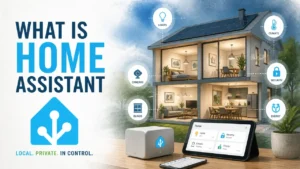
  • Role: Establishes Home Assistant as a local-first smart home platform, frames it against cloud-dependent alternatives, and sets up the cluster’s central question: is Home Assistant worth the setup complexity?
  • Mini Brief: Define Home Assistant and its local processing model. Explain why local vs cloud matters (privacy, reliability, no subscription). Cover hardware requirements (Raspberry Pi, dedicated machine, Home Assistant Green). Address the most common misconception (it’s too technical for non-developers). Introduce the three main entry points: Nabu Casa, HACS, and native integrations. Set up spoke articles on device compatibility and setup.

Different Persona

The Mechanic

Doesn’t tell you what’s broken – takes it apart so you can see exactly why it stopped working. This is my default Persona

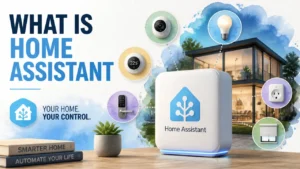
A stylized 3D rendered graphic illustrating the concept of What Is Home Assistant with smart home automation icons.

The Integrator

Doesn’t sell you a smart home — shows you how the signals actually talk to each other so you can build one. Designed for Home Automation posts.

Hyper-realistic 3D rendering with watercolor textures depicting smart home automation concepts for the guide What Is Home Assistant.

Same brief

  • Type: Comparison
  • Target Audience: smart-home-considering intermediate
  • Role: Helps readers deciding between a DIY local platform and a managed cloud platform make an informed choice. Deepens the Hub’s local vs cloud framing into a practical decision.
  • Mini Brief: Compare across five dimensions: setup complexity, device ecosystem, automation depth, privacy model, and long-term cost. Address the SmartThings cloud dependency risk (service discontinuation history). Cover who each platform is actually built for. End with a decision framework based on technical comfort and household size, not feature count.

Different Persona

The Mechanic

Doesn’t tell you what’s broken – takes it apart so you can see exactly why it stopped working. This is my default Persona

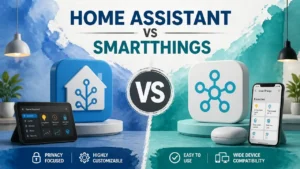
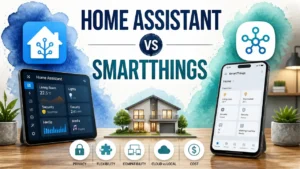
A hyper-realistic 3D rendering comparing Home Assistant and SmartThings home automation platforms.

The Integrator

Doesn’t sell you a smart home — shows you how the signals actually talk to each other so you can build one. Designed for Home Automation posts.

3D rendered illustration comparing Home Assistant and SmartThings home automation platforms

Same brief

  • Type: Listicle
  • Target Audience: smart-home-starting beginner
  • Role: Converts readers who want to start with Home Assistant into their first purchase decision. Provides the device layer that makes the Hub’s platform tangible.
  • Mini Brief: Cover 6-8 devices across categories: lighting, sensors, plugs, and voice assistant. For each: Home Assistant compatibility status, local vs cloud operation, price point, and setup difficulty. Prioritize devices with local-only operation (Zigbee, Z-Wave over Wi-Fi cloud). Address the “start small” principle — one room, one protocol. No affiliate framing.

Different Persona

The Mechanic

Doesn’t tell you what’s broken – takes it apart so you can see exactly why it stopped working. This is my default Persona

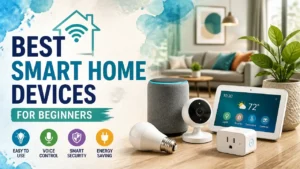
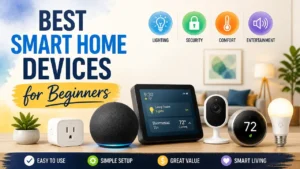
A stylized, hyper-realistic 3D rendering featuring top smart home devices for beginners, organized in a clean, modern infographic layout.

The Integrator

Doesn’t sell you a smart home — shows you how the signals actually talk to each other so you can build one. Designed for Home Automation posts.

A stylized 3D render of smart home devices featuring a home assistant hub for beginners with a watercolor texture.

Same brief

  • Type: How-to
  • Target Audience: tech-ready beginner
  • Role: Converts readers who have decided on Home Assistant into successful first installation. The most action-oriented article in the cluster.
  • Mini Brief: Cover three installation paths: Home Assistant OS on Raspberry Pi, Home Assistant Container (Docker), and Home Assistant Green plug-and-play. Walk through initial onboarding: dashboard setup, first integration, first automation. Cover the most common setup failure points (SD card quality, network discovery issues). Address what to do after first install — not just how to install. Keep commands copy-pasteable.

Different Persona

The Mechanic

Doesn’t tell you what’s broken – takes it apart so you can see exactly why it stopped working. This is my default Persona

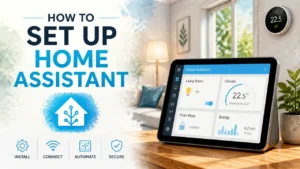
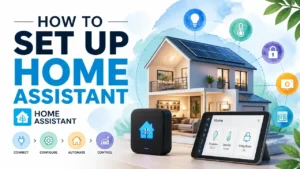
A stylized 3D infographic showing a modern smart home interface, representing how to set up Home Assistant.

The Integrator

Doesn’t sell you a smart home — shows you how the signals actually talk to each other so you can build one. Designed for Home Automation posts.

A modern 3D rendered infographic showing the process of how to set up Home Assistant in a smart home environment.

Sourdough Starter

4 articles · Beginner to Intermediate audience

Hub: How to Make a Sourdough Starter

Same brief

  • Type: How-to
  • Target Audience: baking-curious beginner
  • Role: Establishes sourdough starter as a living culture, not just an ingredient, and frames the cluster’s central question: how do you keep a starter healthy enough to bake with consistently?
  • Mini Brief: Explain what a sourdough starter is biologically (wild yeast + lactic acid bacteria). Cover the day-by-day feeding process for a new starter (Days 1-7). Address the most common beginner mistake (discarding too little, feeding too often). Define the visual and smell cues that indicate an active vs struggling starter. Set up spoke articles on troubleshooting, hydration, and storage.

Different Persona

The Mechanic

Doesn’t tell you what’s broken – takes it apart so you can see exactly why it stopped working. This is my default Persona

A hyper-realistic 3D rendering with watercolor textures showing a bubbling sourdough starter in a glass jar.

The Baker

Explains what’s happening inside the dough so you stop guessing and start understanding why it works. Designed for Baking posts.

A hyper-realistic 3D rendering of a glass jar with active sourdough starter, featuring a modern watercolor infographic style.

Same brief

  • Type: Info
  • Target Audience: baking-struggling beginner
  • Role: Captures readers mid-problem — they’ve started a starter but it’s not working. Deepens the Hub’s troubleshooting hints into a full diagnostic guide.
  • Mini Brief: Cover the six most common causes: wrong flour type, chlorinated water, temperature too low, overfeeding, underfeeding, and contamination. For each cause: explain the mechanism, how to identify it, and the fix. Address the “my starter smells weird” anxiety (pink/orange streak = discard; acetone smell = hungry; cheese smell = normal). End with a decision framework: when to troubleshoot vs when to start over.

Different Persona

The Mechanic

Doesn’t tell you what’s broken – takes it apart so you can see exactly why it stopped working. This is my default Persona

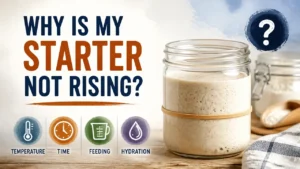
A professional 3D watercolor-style graphic showing a flat sourdough starter in a glass jar with troubleshooting infographic elements.

The Baker

Explains what’s happening inside the dough so you stop guessing and start understanding why it works. Designed for Baking posts.

A stylized 3D rendering of a glass jar with inactive sourdough starter, illustrating the concept of a sourdough starter not rising.

Same brief

  • Type: Info
  • Target Audience: baking-practicing intermediate
  • Role: Serves readers who have an active starter and want to understand how hydration affects their bake. Shifts focus from keeping a starter alive to using it intentionally.
  • Mini Brief: Define hydration ratio and how to calculate it. Cover the difference between 100% hydration (liquid starter) and 65% hydration (stiff starter) in terms of fermentation speed, flavor profile, and bread structure. Explain when to use each hydration level. Address how to convert a starter from one hydration to another without killing it. Include a simple hydration calculator reference.

Different Persona

The Mechanic

Doesn’t tell you what’s broken – takes it apart so you can see exactly why it stopped working. This is my default Persona

A professional 3D rendered infographic showing sourdough starter hydration levels with artistic watercolor textures.

The Baker

Explains what’s happening inside the dough so you stop guessing and start understanding why it works. Designed for Baking posts.

A professional 3D rendered infographic showing sourdough starter hydration ratios in a watercolor style.

Same brief

  • Type: How-to
  • Target Audience: baking-occasional intermediate
  • Role: Serves readers who bake infrequently and need to maintain a starter without daily feeding. Practical answer to a question the Hub raises but doesn’t answer.
  • Mini Brief: Cover three storage methods: counter (daily feeding), refrigerator (weekly feeding), and dried/frozen (long-term backup). For each: feeding schedule, revival process, and best-fit baking frequency. Address the most common storage mistake (refrigerating without feeding first). Cover how to revive a neglected starter (grey liquid on top = hooch, not mold). End with a decision framework based on how often the reader actually bakes.

Different Persona

The Mechanic

Doesn’t tell you what’s broken – takes it apart so you can see exactly why it stopped working. This is my default Persona

A professional 3D render of a glass jar with sourdough starter, styled as a modern infographic on how to store sourdough starter.

The Baker

Explains what’s happening inside the dough so you stop guessing and start understanding why it works. Designed for Baking posts.

A professional 3D rendered illustration showing how to store sourdough starter in a glass jar with watercolor textures.